Link in bio for fitness studios

First classes, workshops and class passes on one link. More.You is a link in bio page for gyms and yoga, pilates and boxing studios. New clients book a first class, see workshop dates and open your class passes, from your bio or a QR code on your door.
more.you/
Oakline StudioYoga, pilates and strength classes in Dublin. Small groups, all levels.
First class, any levelBook
Open now
Mon to Fri06:30 to 21:00
Saturday08:00 to 14:00
Sunday09:00 to 12:00
21NovHandstand workshop, 2 hoursSat from 11:00Book
10-class pass€140Buy
What do I bring to my first class?Water and loose clothes. We lend mats and towels.
Class timetable

more.you/oaklinestudio

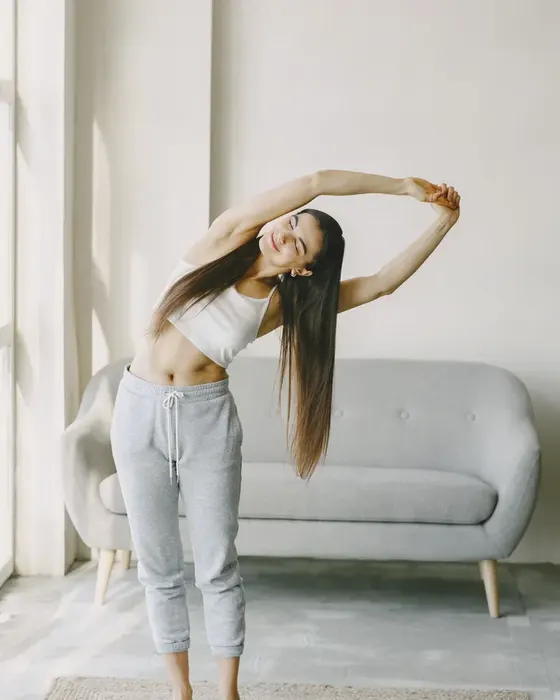
A woman stretching in a bright living room

From a colleague's share to a first class

Ciara has moved to Dublin and wants a yoga class near her new flat. A colleague sends her your Reel of the Sunday morning flow class.
  1. A yoga class in a bright studioYour Sunday flow Reel
    01Monday, 12:50

    A colleague sends her your Reel

    Ciara watches your Sunday flow class on her lunch break. She opens your Instagram profile and taps the link in your bio.

  2. On your page
    What do I bring to my first class?Water and loose clothes. We lend mats and towels.
    02Your page

    She reads what to bring

    Your FAQ block tells her what to bring to a first class. She sees that the studio lends mats and towels.

  3. On your page
    First class, any levelBook
    Class timetable
    03Top of the page

    She taps First class, any level

    The bookings block sits first on your page. It opens the first class page in your booking tool.

  4. Your booking toolOakline StudioSlow flow, Sat 09:00, first classBooked
    04Your booking tool

    Ciara books Saturday at 09:00

    She chooses the slow flow class in your booking tool. Her place is saved there, next to the other names in that class.

What a studio page holds

A new client wants to know when to come, what it costs and what to expect. Regular clients want the dates of your next workshop. Each block below covers one of these.

Bookings

A first class button at the top

Paste the link to your first class in your booking tool. Put the block first, so a new client sees one clear next step.

First class, any levelMats and towels at the studioBook
Opening hours

Early and late hours, with open now

Add the hours your doors are open, from the 06:30 class to the last one at night. The top line of the block says open now or closed now.

Open now
Mon to Fri06:30 to 21:00
Saturday08:00 to 14:00
Events

Workshops with a date and a Book button

A handstand workshop or a weekend retreat gets its own event block. Clients see the date first and tap Book to reserve a place in your booking tool.

21NovHandstand workshop, 2 hoursSat from 11:00Book
Products

Class passes and plans from your shop

Show each class pass or monthly plan as a product block with its price. The Buy button opens it in your online shop or booking tool, where the client pays.

10-class pass€140Buy

Where a studio puts its link

New clients find a studio online, on the street and through friends. Regular clients read your emails. Put one link in all of these places.

Instagram bio and YouTube links

Put more.you/oaklinestudio in your bio. Each class Reel or video sends people to the same first class button.

A QR sticker on the studio door

Print the QR code on the glass of your front door. People who walk past after closing time scan it and see your timetable and first class.

Your studio emails

Add the link to the end of every email you send to clients. Regular clients reach the next workshop and the class passes from there.

What AI assistants read on your studio page

Someone new to an area asks an AI assistant for a yoga studio nearby. On your studio page, it can read your opening hours, your workshop dates and your class passes.

What an AI assistant reads here

name
Oakline Studio
about
Yoga, pilates and strength in Dublin
hours
Mon to Fri, 06:30 to 21:00
book
First class, any level
event
Handstand workshop, 21 Nov, from 11:00
product
10-class pass

Your studio page in three steps

  1. 01

    Claim your name

    Type the name you want after more.you/ and create your free account.

  2. 02

    Add your first class and timetable

    Add a bookings block with the link to your first class, then a link to your timetable. Add your opening hours and one event block for each workshop.

  3. 03

    Put the QR code on your door

    Print the QR code for your front door and the reception desk. Add the link to your Instagram bio and to the emails you send to clients.

Plans for fitness studios

  • The Free plan includes every block this studio page uses, events and products too.
  • Clients pay for passes and plans in your own shop or booking tool, one tap from the page.
  • Analytics show how many people tap First class, and from which app. The Free plan keeps 30 days of analytics.
  • On Pro, audience rules show a block only to some visitors, such as a Dublin workshop to visitors in Ireland.
  • A Pro page can use your studio's own web address, such as join.oakline.ie, with no More.You branding. Pro is $5/month billed annually ($7 month to month).

Questions from studio owners

How do new clients book a first class?

Add a bookings block with the link to your first class in your booking tool, and put it at the top of the page. New clients tap it from your bio or from the QR code on your door, then pick a class in your tool.

Can clients buy class passes from the page?

Each pass or plan gets a product block with a name, a price and a Buy button. The button opens that pass in your online shop or booking tool, and the client pays there. Your pass rules stay in the tool you use today.

How do we show workshops and special classes?

Add one event block per workshop with the date, the start time and a short name, such as Handstand workshop. The button opens the booking for that date. When the date has passed, delete the block or change it to your next workshop.

Will the page show our class timetable?

Add a link block that opens your timetable, on your website or in your booking tool. The opening hours block shows when your doors are open each day, and its first line tells people if you are open right now.

What should new clients know before their first class?

Use an FAQ block for the questions your desk hears every week: what to bring, when to arrive, if you lend mats and where to park. New clients read the answers on your page before their first class.

Can AI assistants find our workshops?

Each event block on your page holds the name and the date of one workshop. AI assistants and search engines that read the page find your workshops there. Each assistant chooses what it shows.

More pages: Salons and barbershops, Clinics and practices, Bars, clubs and venues, Blocks, QR codes, AI-readable pages, every industry or pages for creators.

Guides: Fitness Bio: 21 Gym, Trainer and Creator Bios to Copy, Bookings Through Link in Bio: A Setup Guide.

Put your first class on one link

Add your first class, your hours and the next workshop. Then put the QR code on your door for the people who walk past after closing.

more.you/

Language