Link in bio for restaurants

Opening hours, bookings and your menu on one link. More.You is a link in bio page for restaurants and cafes. Guests see if you are open now, book a table and open your menu, from your bio or a table QR code.
more.you/
Casa LumeNeighbourhood trattoria in Lisbon. Fresh pasta every day.
Open now
Mon to Thu12:00 to 23:00
Fri and Sat12:00 to 00:00
Sunday12:00 to 16:00
Book a tableLunch and dinnerBook
See the menu
14NovWine night, five Douro winesFrom 19:30Book
Order for delivery

more.you/casalume

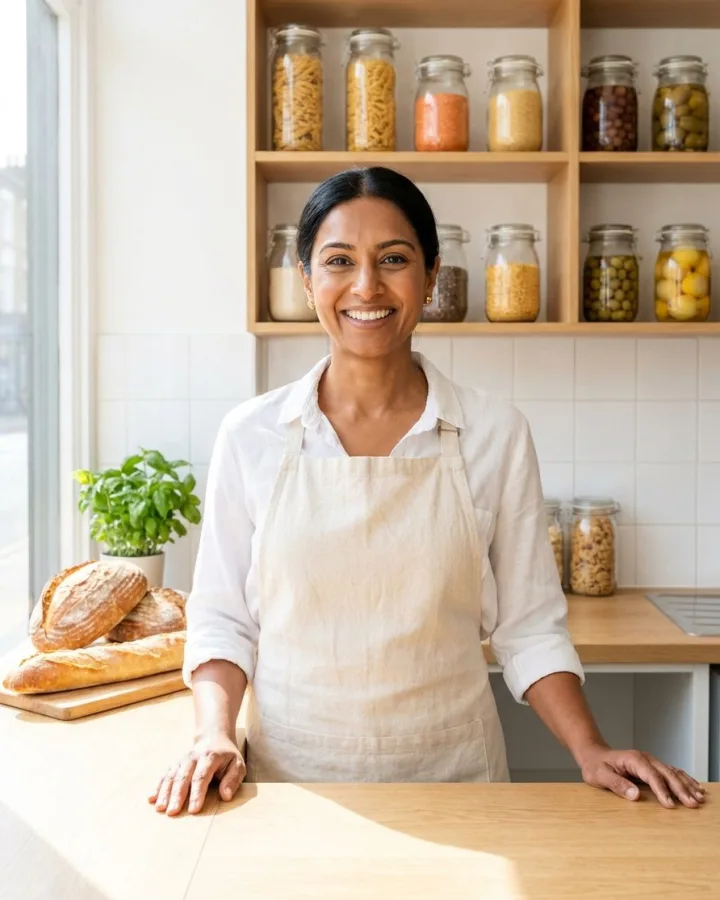
A baker behind the counter of her shop

A guest's path from your Reel to a table

Sofia wants dinner out on Friday. She finds your fresh pasta Reel late on Thursday, after your kitchen has closed.

  1. casalumeInstagram profile

    Neighbourhood trattoria in Lisbon. Book a table and see the menu here:

    more.you/casalume
    01Thursday, 23:40

    Sofia finds your pasta Reel

    She opens your Instagram profile. Your bio holds one link, and she taps it.

  2. On your page
    Closed now
    Fri and Sat12:00 to 00:00
    Sunday12:00 to 16:00
    02Your page

    She sees your Friday hours

    Your opening hours block shows the hours for each day and if you are open right now.

  3. On your page
    Book a tableLunch and dinnerBook
    See the menu
    03One tap

    She taps Book a table

    Your bookings block opens the booking tool you already use. The menu link sits right under it.

  4. Your booking toolCasa LumeFriday, 20:30, table for 2Booked
    04Your booking tool

    Sofia books Friday at 20:30

    She picks a time in your booking tool. The booking sits there with all your other bookings.

The blocks a restaurant page uses

Guests ask three things before they come: are you open, can they book and what is on the menu. Each block answers one of them.

Opening hours

Your hours, with open now at the top

Type your hours once for each day. The block shows a live open-now state, so guests see if you are open before they call.

Open now
Mon to Thu12:00 to 23:00
Fri and Sat12:00 to 00:00
Bookings

A button that opens your booking tool

Paste the link of the booking tool you use today. Guests reach it in one tap from Instagram, TikTok or a table QR code.

Book a tableLunch and dinnerBook
Events

Wine nights and live music, with dates

One event block per night, with the date, the start time and a button that opens the booking page for that evening.

14NovWine night, five Douro winesFrom 19:30Book
FAQ

Answers to the questions you hear each day

Dogs, high chairs, gluten-free pasta, parking. Write each answer once in an FAQ block.

Do you make gluten-free pasta?Yes, every morning. Ask your waiter.

Where your restaurant's link goes

Guests meet you in three places. Put the same link in all three, and edit the page once.

Instagram and TikTok bio

Put more.you/casalume in your bio. Every Reel that says link in bio sends people to the same page.

A QR code on every table

Download your page's QR code and print it on table cards and the window. Guests scan it to see the menu and book their next visit.

Your Google Business Profile

Add the page as the website link on your Google Business Profile. People who find you on Maps can open it in one tap.

What AI assistants read on your page

People ask AI assistants where to eat tonight. An assistant can read your opening hours, your event nights and your answers on your restaurant's page.

What an AI assistant reads here

name
Casa Lume
about
Neighbourhood trattoria in Lisbon
hours
Mon to Thu, 12:00 to 23:00
book
Book a table
event
Wine night, 14 Nov, from 19:30
faq
Gluten-free pasta: yes, every morning

Your restaurant page in three steps

  1. 01

    Claim your name

    Type the name you want after more.you/ and create your free account.

  2. 02

    Add your hours and booking link

    Add an opening hours block and a bookings block with your booking tool's link. Have a website? Paste its address, and More.You proposes a first page for you to check.

  3. 03

    Share the link and print the QR code

    Put the link in your Instagram and TikTok bio. Print the QR code on your table cards and your window.

Plans for restaurants

  • Every block on this page is on the Free plan: opening hours, bookings, events, FAQ and links.
  • When your hours change, edit the block once. The QR codes you printed keep working, because they open the page.
  • Analytics show the clicks on each block by source, device and country. The Free plan keeps 30 days.
  • Two or more locations: Premium holds up to 5 pages on one account, one per location. Premium is $15/month billed annually ($19 month to month).
  • Pro puts your page on your own domain and removes the More.You branding. Pro is $5/month billed annually ($7 month to month).

Questions from restaurant owners

Can guests book a table on my More.You page?

Your bookings block sends guests to the booking tool you already use, in one tap. The booking saves in that tool with your other bookings, so your table plan stays in one place. Paste the tool's booking link into the block and add a short label, such as Book a table.

How does the page show if we are open now?

Add an opening hours block with your hours for each day. The block shows a live open-now state, so guests see at a glance if you are open. When your hours change for a holiday, edit the block once, and your bio link and every QR code show the new hours.

Can I put my menu on the page?

Add a link block that opens your menu, such as a PDF or a page on your website. Put it under your bookings block. Guests can also buy things to take home, like sauces or gift cards. A product block shows the name, the price and a button to your online shop.

We have two restaurants. Do we need two accounts?

Premium holds up to 5 pages on one account, so each location gets its own page with its own hours and booking link. Premium is $15/month billed annually ($19 month to month). On the Free plan, one account holds one page.

Will AI assistants and Google know our opening hours?

Your opening hours block holds your restaurant's hours for each day. AI assistants and search engines such as Google can read them on your page. Each assistant decides what it shows in its own answers.

Can I print the QR code on table cards?

Yes. Every page has a QR code that you can style and download, then print on table cards, receipts and your window. The code opens your page, so you can change hours, events and links later without printing new cards.

More pages: Bars, clubs and venues, Hotels and guesthouses, Shops and boutiques, Blocks, QR codes, AI-readable pages, every industry or pages for creators.

Guides: Link in Bio for Restaurants: Menu, Bookings, Directions, Google Review Link: Get Yours, Then Share It in 8 Places.

Sources
  1. Google Business Profile Help: edit your Business Profile

Sources checked on 11 November 2026.

Put your restaurant on one link

Add your hours and your booking link, then print the QR code for your tables. Guests can book their next visit before they leave.

more.you/

Language