Maker with a small shop
New items first
Drag each new item to the top on the day you post it. Older items stay below for people who scroll.
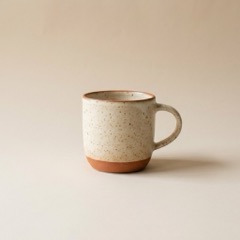 Speckled mug€34Buy
Bud vase, sand€28Buy
Add a product block for each item with a photo, a price and a Buy button. Visitors see what they are buying. One tap opens it in the store you already sell from.
 Iris ValeSmall-batch ceramics from my studio in Porto.Speckled mug€34Buy
more.you/irisvale

Selling from your link in bio means the page behind your bio link shows your products, not one shop link. On More.You, each product block shows the photo, the name and the price. Its button opens the item in your store.
Your caption says: "New glaze. The mug is in my bio."
irisvale New glaze, first batch of twelve. The mug is in my bio.
Buyers tap more.you/irisvale to find the mug from the photo.
The photo and the price are on the block, so buyers know what they are buying before they tap.
Speckled mug€34BuyBuy opens the mug in your store. The buyer pays there.
Product blocks work for objects, digital files and anything else with a price and a product page.
Drag each new item to the top on the day you post it. Older items stay below for people who scroll.
Speckled mug€34BuyA product block for each preset pack or guide, with its price. The button opens its page on Gumroad or on your own site.
Group the drop under one heading, so the page stays short when the drop has six items.
Type the name you want after more.you/ and create your free account.
Paste the link to the item's page in your store. Add a photo, a name and a price, and put the newest item first.
End the caption with the item's name and the words "in my bio". Buyers know what to look for when the page opens.
On Pro, you see which post sent each click to your store. Pro also lets your page run on your own domain. Pro is $5/month billed annually ($7 month to month).
AI shopping assistants that read your page can find what you sell. Each product block gives them the name, the price and the store link.
What an AI assistant reads here
A buyer who lands on your store's home page has to search for the item again. Paste the address of the exact product.
A price on the block answers the first question before the tap. People who tap already know the item fits their budget.
The buyer is looking for the thing they saw. The same photo on the block tells them they found it.
Five to eight items, newest first, fit on a phone screen or two. Group the rest in a collection, or add a link to the full store at the bottom.
More: Affiliate links, Promote events, Link in bio for Etsy sellers, Link in bio for shops, Link in bio for online brands, Blocks, AI-readable pages, Link in bio for small business guide, or every use case.
More guides: Shoppable Bio Page Layout: What Goes Where, Link in Bio for Ecommerce: Turn Social Traffic Into Sales.
Open a free page, add the product with its photo and price, and name it in your next post.
Before you go
One link in bio for everything you share.
