Link in bio for hotels

Direct bookings and arrival answers on one link. With More.You, your bio link and the QR code in each room open one page. Guests book direct in your booking engine and read your check-in, parking and breakfast answers.
more.you/
Mareta GuesthouseEight rooms and a small pool above the harbour in Piran.
Sea view roomBook direct with usBook
Open now
Mon to Fri08:00 to 22:00
Sat and Sun08:00 to 23:00
What time is check-in?From 14:00. Arriving after 22:00? Message us first.
Local guide: beaches and food
Directions and parking

more.you/maretahouse

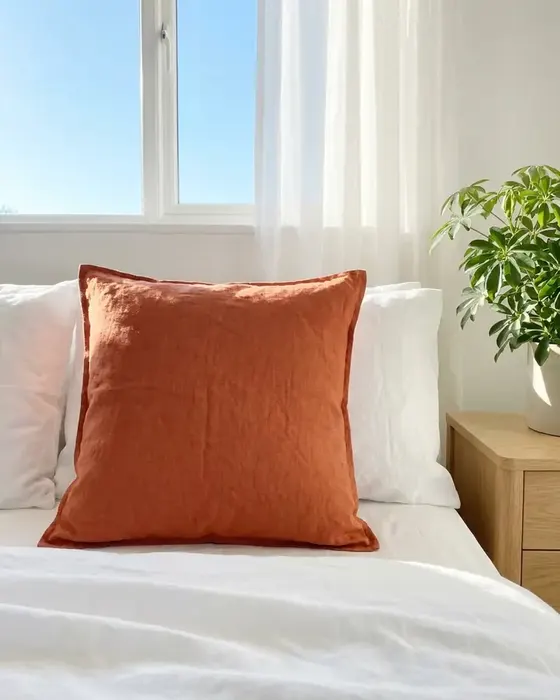
A bright hotel room with a made bed

From a room Reel to a booking on your own site

Lena plans four nights by the sea in June and will arrive on the evening ferry. She saved your room Reel on Sunday.
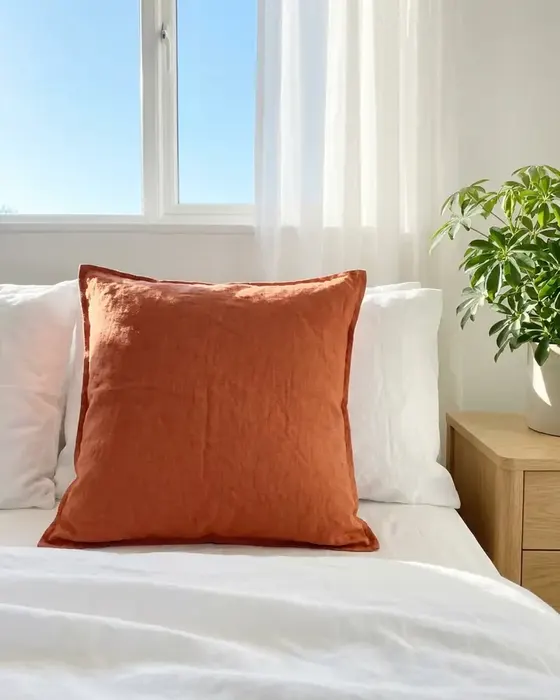
  1. A guest room with an orange cushion on the bedYour Reel
    01Monday, 20:30

    Lena opens your room Reel again

    She opens your profile from the Reel and taps the link in your bio. She wants dates and a price before she decides.

  2. On your page
    What time is check-in?From 14:00. Arriving after 22:00? Message us first.
    Open now
    Mon to Fri08:00 to 22:00
    Sat and Sun08:00 to 23:00
    02Your page

    She reads the check-in answer

    Your FAQ block says check-in starts at 14:00. Her ferry arrives at 21:00, and your reception hours show the desk open until 22:00.

  3. On your page
    Sea view roomBook direct with usBook
    Local guide: beaches and food
    03One tap

    She taps Sea view room

    Your bookings block is a button to the booking engine on your website. Lena taps it and chooses her dates.

  4. Your booking engineMareta GuesthouseSea view room, 12 to 16 JuneConfirmed
    04Your booking engine

    Lena books four nights direct

    She picks the sea view room for 12 to 16 June. Your booking engine confirms the stay, as it does for every booking.

Four blocks for a hotel page

Before a stay, guests look for dates and prices, the arrival details and something to do nearby. Each of these blocks holds one part.

Bookings

A book direct button for your booking engine

Paste the address of the booking engine on your website. Guests reach your rooms and rates in one tap, from your bio or the QR code at reception.

Sea view roomBook direct with usBook
FAQ

Check-in, parking and breakfast, answered once

Write the questions your reception hears each day, such as late arrival, parking and pets. Each answer stays on the page, and guests read it before they travel.

Is there parking?Yes, six spaces behind the house. Ask at reception.
Opening hours

Reception hours with open now on top

Add your reception hours for each day. Guests see if the desk is open right now. Search engines read these as your opening hours, so use the hours someone is at the desk.

Open now
Mon to Fri08:00 to 22:00
Sat and Sun08:00 to 23:00
Links

Your local guide and directions

One link block opens your guide to beaches, food and day trips. A second one opens directions and parking on a map.

Local guide: beaches and food

Where a hotel puts its link

Guests meet your hotel before the trip, in the room and in their inbox. The same page works for all three.

Instagram bio and Reels

Put more.you/maretahouse in your bio. A Reel of a room can end with link in bio, and the booking button is the first block guests see.

A QR code in rooms and at reception

Print the code on a card by the bed and one at reception. Guests scan it for breakfast times and the local guide, and to book their next stay.

Your confirmation emails

Add the link to the confirmation and pre-arrival emails your booking engine sends. Guests open the check-in answers and directions before they travel.

What AI assistants read on your hotel page

Travellers ask AI assistants for a quiet place to stay near the sea. On your page, an assistant can read your reception hours and your answers about check-in, parking and breakfast.

What an AI assistant reads here

name
Mareta Guesthouse
about
Eight rooms and a small pool in Piran
book
Sea view room, book direct
hours
Reception, Mon to Fri, 08:00 to 22:00
faq
Check-in: from 14:00

Your hotel page in three steps

  1. 01

    Claim your name

    Type the name you want after more.you/ and create your free account.

  2. 02

    Add your booking engine and reception hours

    Paste your booking engine's address into a bookings block. Add an opening hours block with your reception hours, then an FAQ block for check-in, parking and breakfast.

  3. 03

    Print the code for rooms and reception

    Put the QR code on a card in each room and at the desk. Add the link to your Instagram bio and to your confirmation emails.

Plans for hotels

  • The Free plan holds every block on this page: bookings, opening hours, FAQ and links.
  • Your bookings block sends guests to your booking engine. Rates, deposits and payments stay there.
  • On Pro, audience rules show a block only to visitors from one country or one app. For example, show a ferry link only to guests from Italy.
  • Run two to five houses? Premium gives each one its own page on one account. Premium is $15/month billed annually ($19 month to month).
  • Pro puts your page on your own domain, such as links.mareta.si, and removes the More.You branding. Pro is $5/month billed annually ($7 month to month).

Questions from hotel owners

Where does the booking happen?

In your own booking engine. Your bookings block is a button that opens it in one tap, from Instagram, TikTok or a QR code in the room. Rates, available rooms, deposits and payments all stay in the engine you use today.

Can I show our check-in time and parking?

Add an FAQ block with one question for each topic, such as check-in from 14:00, parking behind the house and breakfast from 07:30. Guests read it before they travel. AI assistants can read the same answers on your hotel page.

Can I show a link only to guests from one country?

Yes, with audience rules on Pro. A rule shows or hides a block by the visitor's country or by the app they arrived from. For example, show ferry times from Venice only to visitors in Italy, and a guide in German only to visitors from Germany.

Should reception hours go in an opening hours block?

Yes. Add the hours your desk is open for each day. Guests see if someone is at reception now. Search engines and AI assistants read your reception hours as your opening hours.

We run three holiday houses. Can each one have a page?

Yes. On Premium, every house gets a page of its own, with up to 5 pages on one account. Each page has its own booking button and arrival answers. Premium is $15/month billed annually ($19 month to month). A Free plan account holds one page.

Can guests use the QR code in the room?

Yes. Print the page's QR code on a card by the bed or in the welcome folder. Guests use it to read the breakfast hours and your local tips, and to open your booking engine for a next visit. When something changes, edit the page and keep the cards.

More pages: Restaurants and cafes, Bars, clubs and venues, Shops and boutiques, Blocks, QR codes, Custom domain, every industry or pages for creators.

Guides: Link in Bio for Business: Small Business Setup and 8 Tools, Google Review Link: Get Yours, Then Share It in 8 Places.

One link from your Reel to your booking engine

Add your booking engine and your reception hours, then print the QR code for each room. Guests find check-in times and the local guide on one page.

more.you/

Language