
A white label link in bio is a bio page that carries your brand and nothing else: no tool logo in the footer, no provider name in the URL, and search and share previews you wrote yourself. It takes three layers. Remove the provider’s branding, serve the page on a domain or subdomain you own, and set the page’s title, description, share image and indexing.
Most bio pages advertise the tool that hosts them. The URL says the provider’s name, the footer carries its badge, and the share card on WhatsApp shows whatever the tool generated. For a creator with a personal brand, or an agency handing a page to a client, that is three places where someone else’s name sits on your traffic.
This guide covers each of the three layers, how to choose between a root domain and a subdomain, which SEO settings matter on a one-page site, and who needs white label at all. If you only want the DNS walkthrough, the custom domain setup guide covers registrars, records and costs step by step.
Key Takeaways
- White label is three layers, not one switch. Branding removal, your own domain and your own SEO settings. Missing any one leaves the provider visible.
- A subdomain is the safe default. links.yourbrand.com keeps your main website on the root domain and gives the bio page a clean, separate address.
- Root domains need a DNS workaround. Standard DNS does not allow a CNAME record at the root, so some providers and DNS hosts use flattening or A records instead.
- SEO settings decide your previews. Title, description and share image control how the page looks in Google results and in every chat app it is shared to.
- Agencies gain the most. A client page with no third-party logo reads as the client’s own property.
What is a white label link in bio?
A white label link in bio is a page built on a link in bio tool but presented entirely as yours. The provider’s logo is removed, the page loads on a domain you own, and the title, description and share image are set by you. Visitors see one brand from the profile link to the last block on the page.
The term comes from agency work, where a product is resold under the client’s name. In the link in bio category it now covers anyone who wants the page to read as their own site. That includes creators building a personal brand, businesses that want one consistent look, and agencies managing pages for clients.
The three layers of white label
| Layer | What it removes | What you set instead |
|---|---|---|
| Branding | The tool’s logo or badge in the footer | Your own footer, or none |
| Domain | The provider’s name in the URL | Your domain or subdomain, served over HTTPS |
| SEO and share settings | Auto-generated titles and previews | Your meta title, description, share image and indexing choice |
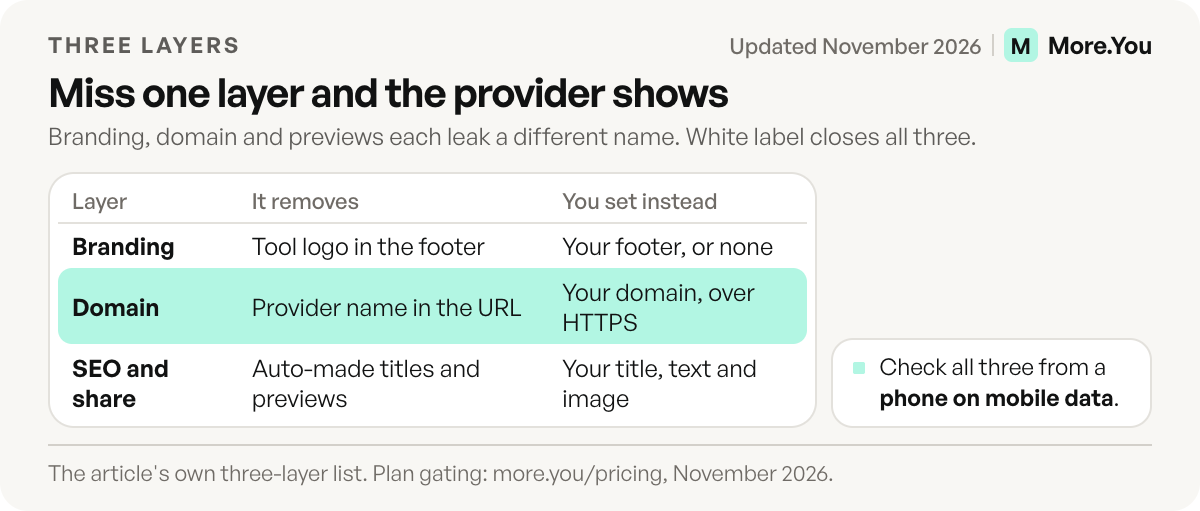
Each layer fixes a different leak. A page with no logo but a provider URL still sends the provider’s name into every bio and every screenshot. A page on your domain with default previews still shows a generic title in Google. White label means all three.
Removing branding: which plans allow it
Branding removal is almost always a paid feature, and where it sits varies by tool. Check the plan before you design around it.
Linktree is the most widely recognized link in bio tool and covers the basics well, with four tiers starting from a free plan. Its Pro plan includes the option to remove Linktree branding, and prices vary by country, so read your own price on its pricing page (linktr.ee/s/pricing, November 2026). Its help center says every Linktree keeps a linktr.ee address and custom domains are not supported (linktr.ee help center, November 2026). For a plan-by-plan view across tools, see the link in bio tools comparison.
More.You publishes this blog. On More.You, the Pro plan removes More.You branding and adds a custom domain with automatic HTTPS. Pro costs $5 a month billed yearly or $7 billed monthly, and Premium keeps both features and adds up to five pages (more.you/pricing, November 2026). The Free plan keeps a More.You footer.
Custom domain or subdomain?
A subdomain (links.yourbrand.com) is the right choice for most people who already have a website. A root domain (yourbrand.com) is the right choice when the bio page is your only site. Both look professional. The difference is what else lives on the domain.
Use a subdomain when:
- You have a website on the root domain and want to keep it there.
- You want a clean structure as you grow: a shop subdomain, a links subdomain and www, each pointing at the tool that does that job.
- You want the simplest DNS setup. A subdomain usually needs one CNAME record.
Use a root domain when:
- The bio page is your whole web presence and you have no other site.
- You bought a short domain for this purpose, such as your name.
The root domain has one technical catch. Standard DNS does not allow a CNAME record at the zone apex, which is the root of the domain. DNS hosts work around this in different ways. Cloudflare, for example, uses CNAME flattening, which follows the CNAME chain and returns the final IP address instead of a CNAME record (developers.cloudflare.com, November 2026). Other providers ask for A records. Read your bio tool’s instructions before you buy, so you know which records it expects.
On More.You Pro, you point your domain at the page with the DNS records the setup guides you through, and the HTTPS certificate is issued and renewed automatically. The custom domains page covers what to point where.
SEO settings that control your previews
Your bio page shows up in two places beyond your bio: Google results and link previews in chat apps. Both read the page’s metadata, so setting it yourself is part of white label.
- Meta title. Google uses several sources to generate the title link in results, and the page’s title element is the main one (developers.google.com, November 2026). Google advises descriptive and concise titles and truncates long ones to fit the screen width. Write your name and what you do, in about 60 characters or fewer.
- Meta description. Google may use it for the snippet when it describes the page better than on-page text (developers.google.com, November 2026). One plain sentence about who the page is for.
- Share image. WhatsApp, iMessage, LinkedIn and X build preview cards from Open Graph tags such as og:image (ogp.me, November 2026). Without one, the preview shows whatever the tool generates.
- Indexing. A noindex rule keeps a page out of Google Search (developers.google.com, November 2026). Use it for a temporary campaign page, not for your main bio page.
More.You gives each page its own meta title, meta description, an about text and an optional noindex setting. Pages are server-rendered with OpenGraph and Twitter meta, so previews unfurl correctly when the link is shared.
A copyable set of SEO fields
Fill the fields in the page settings with text like this. The words in brackets are placeholders for your own details.
Meta title: [Your name], [what you make] for [who]
Meta description: [Your name] makes [what] for [who]. Watch, book or buy from this page.
About text: [Two or three plain sentences: who you are, what you offer, where to start]
Share image: [Your photo or logo, one clear picture]
Indexing: on for your main page
Keep the about text factual. It appears as visible text on the page, and More.You also uses it as the summary that AI agents read.
The audience that reads past your logo
White label is usually framed as a question of looks. There is a second reader to plan for. AI assistants such as ChatGPT and Perplexity read creator pages to answer “who is this person and what do they sell”. They do not care about your footer badge. They care whether the page explains itself.
Every published More.You page ships a per-page llms.txt, an agent manifest and structured data generated from its blocks, on every plan. The about text you write for SEO is also rendered as visible prose and used as the agent-readable summary. If you want the full picture, read how to make your link in bio readable by AI.
Who needs a white label link in bio?
| Who | Why it matters | Minimum setup |
|---|---|---|
| Creators with a personal brand | Your name, not a tool’s, in every bio and screenshot | Branding removed, subdomain or short root domain |
| Agencies and social media managers | Client pages should not carry a third-party logo | Branding removed, a subdomain on each client’s domain |
| Businesses and brands | One consistent look across site, socials and bio page | Branding removed, a links subdomain, SEO settings filled |
| Hobby or test pages | Little to gain yet | The default URL is fine |
If you run pages for several brands or clients, the next question is how to keep them apart. The guide to running multiple link in bio pages covers when to split and how to organize them.
How to check that all three layers are on
Test the page from the outside, as a stranger would. Use a phone with mobile data, not your home Wi-Fi.
| Layer | Check | You pass when |
|---|---|---|
| Branding | Scroll to the footer of the live page | No provider logo or badge appears |
| Domain | Type your domain into a browser | The page loads over https and the address bar shows your domain |
| SEO and share | Send the link to yourself in a chat app | The card shows your title, description and image |
If one row fails, fix that layer only. Do not change the other two while you test, so you know which change fixed it.
For illustration: an agency sets up a page for a client’s bakery. It removes branding, connects a subdomain of the client’s domain, and writes a title with the bakery’s name and town. Then it sends the link to the client’s phone. The card shows the bakery’s photo and title, and the footer is empty. All three layers pass.
Set it up in four steps
- Pick the address. Subdomain if you have a website, root domain if the page is your site.
- Connect it. Add the DNS records your bio tool gives you and wait for HTTPS to be issued.
- Fill the SEO fields. Title, description, share image and about text. Leave the main page indexable.
- Remove branding and test. Share the link in a chat app and search for it a week later to confirm the preview and the title.
If you want a page that people and AI assistants can both read, create your More.You page and fill its SEO settings on the Free plan. Branding removal and custom domains are on Pro.
FAQ
What does white label mean for a link in bio?
It means the page shows only your brand. The tool’s logo is removed, the page loads on your own domain, and the search and share previews use the title, description and image you set.
Should I use a custom domain or a subdomain for my link in bio?
Use a subdomain such as links.yourbrand.com if you already have a website on your root domain. Use the root domain only when the bio page is your entire web presence.
Can I remove the logo from my link in bio for free?
Usually not. Most tools put branding removal on a paid plan. On More.You it is part of Pro and Premium, and on Linktree it is a Pro feature that Premium includes (linktr.ee, November 2026).
Does a custom domain help my link in bio rank in Google?
A domain alone does not make a page rank. What helps is a page with a clear title, description and about text that Google can index. A custom domain does keep any authority the page earns under your own name.
Can agencies white label link in bio pages for clients?
Yes. With branding removed and each page on a subdomain of the client’s domain, visitors see the client’s brand only. Each page keeps its own SEO settings.
Sources
- Linktree plans and branding removal (linktr.ee/s/pricing, November 2026)
- Linktree help center: hide the Linktree logo, and about custom domains (linktr.ee, November 2026)
- CNAME flattening (developers.cloudflare.com, November 2026)
- Influencing your title links in search results (developers.google.com, November 2026)
- Control your snippets in search results (developers.google.com, November 2026)
- Block search indexing with noindex (developers.google.com, November 2026)
- The Open Graph protocol (ogp.me, November 2026)
- More.You plans (more.you/pricing, November 2026)
- More.You feature pages: more.you/features/custom-domains, more.you/features/qr-sharing and more.you/features/ai-native-pages (November 2026)
Platform rules and prices checked November 2026.



