
Link in bio for churches

Service times, sermons and your livestream on one link. More.You is a link in bio page for churches and faith communities. Visitors see service times, open last week's sermon and find the livestream.

more.you/
Larkhaven ChurchParish church in Bristol. Sunday service at 10:30, all are welcome.
22NovSunday service10:30, with children's groupDirections
Sermon: Welcome the stranger24 min, last Sunday
Watch the livestream
19NovYouth nightThursday 19:00, ages 11 to 16Details
What happens on a first visit?Come as you are. A welcomer meets you at the door.
Open now
Tue to Thu09:00 to 13:00
Friday09:00 to 12:00
Sunday09:30 to 12:30
Give to Larkhaven Church

more.you/larkhavenchurch

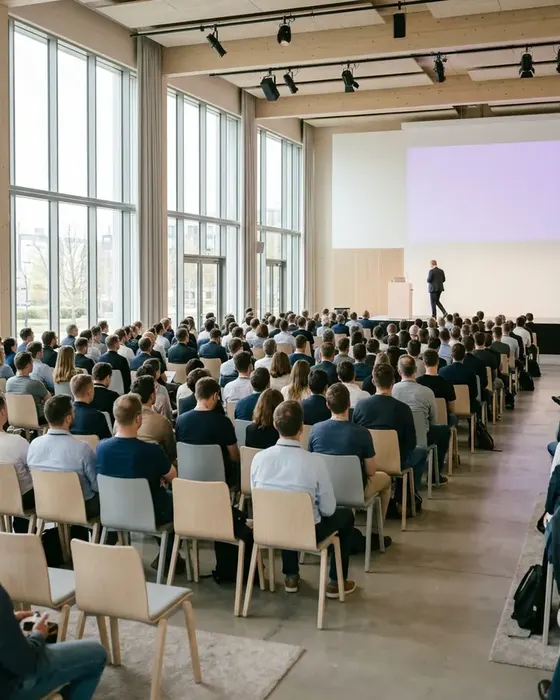
An audience listening to a speaker in a bright hall

A newcomer's path from your notice board

Grace has moved to Bristol for a new job. She walks past your church on a Wednesday evening and wants to know when to come and what to expect.

  1. Larkhaven ChurchScan for services and sermons
    01Wednesday, 19:05

    Grace scans the code on your board

    The notice board by your gate shows the page's QR code next to the service times. She scans it on her way home.

  2. On your page
    22NovSunday service10:30, with children's groupDirections
    What happens on a first visit?Come as you are. A welcomer meets you at the door.
    02Your page

    She finds Sunday's service time

    The event block shows Sunday at 10:30 with a children's group. An FAQ answer tells her what a first visit is like.

  3. On your page
    Sermon: Welcome the stranger24 min, last Sunday
    03Last Sunday

    She taps last week's sermon

    Your podcast block shows the newest sermon with its title and length. Grace taps it to hear the church before she visits.

  4. Your podcast pageLarkhaven Church sermonsWelcome the stranger, 24 minFollowing
    04Thursday, 08:15

    Grace listens on the bus to work

    The block opens the episode on your podcast page, where you publish each sermon. She follows the sermons and plans her first Sunday.

What a church page holds each week

Visitors ask when the services are, what the last sermon said and when the office is open. Each block below holds one of those answers.

Events

Services, groups and youth nights by date

Add an event block for each service and group, with the day, the time and a Directions button. Special services, such as a carol service, get their own block.

19NovYouth nightThursday 19:00, ages 11 to 16Details

Podcast episodes

Last Sunday's sermon, one tap away

If you publish sermons as a podcast, add each new one as a podcast episode block. It shows the title and length and opens the episode link you add.

Sermon: Welcome the stranger24 min, last Sunday
Opening hours

Sunday and office hours, with open now

People call about baptisms, weddings and room hire. Add the office hours and Sunday morning, when the doors are open. Search engines read these rows as the church's opening hours.

Open now
Tue to Thu09:00 to 13:00
Friday09:00 to 12:00
Sunday09:30 to 12:30
Links

Livestream, giving and prayer requests

Link blocks open the tools you use today: your livestream channel, your giving page and your prayer request form. Each one opens in one tap.

Send a prayer request

Your church's link, in print and online

People meet your church on Sunday, at the gate during the week and online. One link in all three places opens the same page.

The weekly bulletin

Print the QR code on the back of each week's bulletin. People who take it home scan it to hear the sermon or see next week's groups.

The entrance and the notice board

Put a printed QR code by the door and on the notice board. People who pass on a weekday see your service times and office hours.

Your social media profiles

Put more.you/larkhavenchurch in your Instagram bio and on your Facebook page. Each post about a service or a group can send people there.

What AI assistants read about your church

Someone new in town may ask an AI assistant for a church near them with a Sunday service. The assistant can read your service times, your newest sermon and your office hours on your page.

What an AI assistant reads here

name
Larkhaven Church
about
Parish church in Bristol
event
Sunday service, 22 Nov, 10:30
sermon
Welcome the stranger, 24 min
office
Tue to Thu, 09:00 to 13:00
faq
First visit: come as you are

Your church page, ready in three steps

  1. 01

    Claim your name

    Type the name you want after more.you/ and create your free account.

  2. 02

    Add services, the sermon and office hours

    Add an event block for each weekly service and group. Add last week's sermon as a podcast episode block, and your Sunday and office hours as an opening hours block.

  3. 03

    Print the QR code in the bulletin

    Add the QR code to the bulletin, the notice board and the entrance. Each week, add the new sermon at the top, and the printed codes stay the same.

Plans for churches

  • On the Free plan, your church gets every block on this page: events, sermons, office hours, FAQ and links.
  • Your livestream stays on the channel you use today. The link block opens it in one tap.
  • Analytics count clicks on the sermon, the livestream and the giving link, split by source, device and country.
  • Older sermons can sit in a collection, so the newest one stays at the top.
  • With Pro, the page uses your church's own domain and shows no More.You branding. Pro is $5/month billed annually ($7 month to month).

Questions from church offices and volunteers

How do people find our livestream?

Add a link block with the address of your livestream channel and call it Watch the livestream. On Sunday morning, pin it to the top of your page, and unpin it after the service. People tap it and watch in the app they already use.

How do we share each week's sermon?

Publish the sermon in your podcast feed as you do today. Then add a podcast episode block at the top of your page, with the title, the length and the episode link. A tap opens the episode where you published it. Move older sermons into a collection.

How do people send us prayer requests?

Add a link block that opens the prayer request form you use today, such as a form on your website. Requests arrive there, where your prayer team reads them. Put the block near your service times so people see it.

Our church meets in two buildings. Do we need two accounts?

Premium holds up to 5 pages on one account, so each building has its own page with its own service times and office hours. Premium is $15/month billed annually ($19 month to month). Each Free account holds one page.

Will AI assistants know our service times?

AI assistants can read each event block on your page, with the date and time of the service. They can also read your office hours and the title of each sermon. Each assistant picks what to say about your church.

Can a small church run the page without a web team?

Yes. One volunteer can edit the page in a web browser, with no code. If your church has a website, paste its address, and More.You suggests a first page from it. You read the suggestion and apply it when it looks right.

More pages: Charities and nonprofits, Bars, clubs and venues, Blocks, QR codes, AI page builder, every industry or pages for creators.

Guides: Link in Bio for Business: Small Business Setup and 8 Tools, Event Landing Page: 8 Elements and a One-Page Example.

Put your services and sermons on one link

Add Sunday's service, last week's sermon and your office hours. Then print the QR code in the next bulletin.

more.you/

Language