Join this week and get Pro free for 6 monthsLiked the free tool? Get your own page with Pro freeMoving to More.You? Get Pro free for 6 monthsPick a template and get Pro free for 6 monthsTry every Pro feature free for 6 monthsPut it into practice with Pro free for 6 months
Get Pro freeSign upTemplatesSee all templatesPricing



Product
Page blocksLinks, products, bookings, events and opening hoursThemes and fonts15 colour themes, 31 fonts, buttons and backgroundsClick analyticsPage views, clicks on each link, countries and devicesLinktree importPaste your Linktree address and pick the links to bringResources
TemplateVideo finds
Link in bio template for Shopee affiliates
The newest find, '#48 Mini hand fan', is the first button, with #47 to #44 under it. Anyone who remembers one number from your video finds the product without a search, and fewer comments ask you for the link.
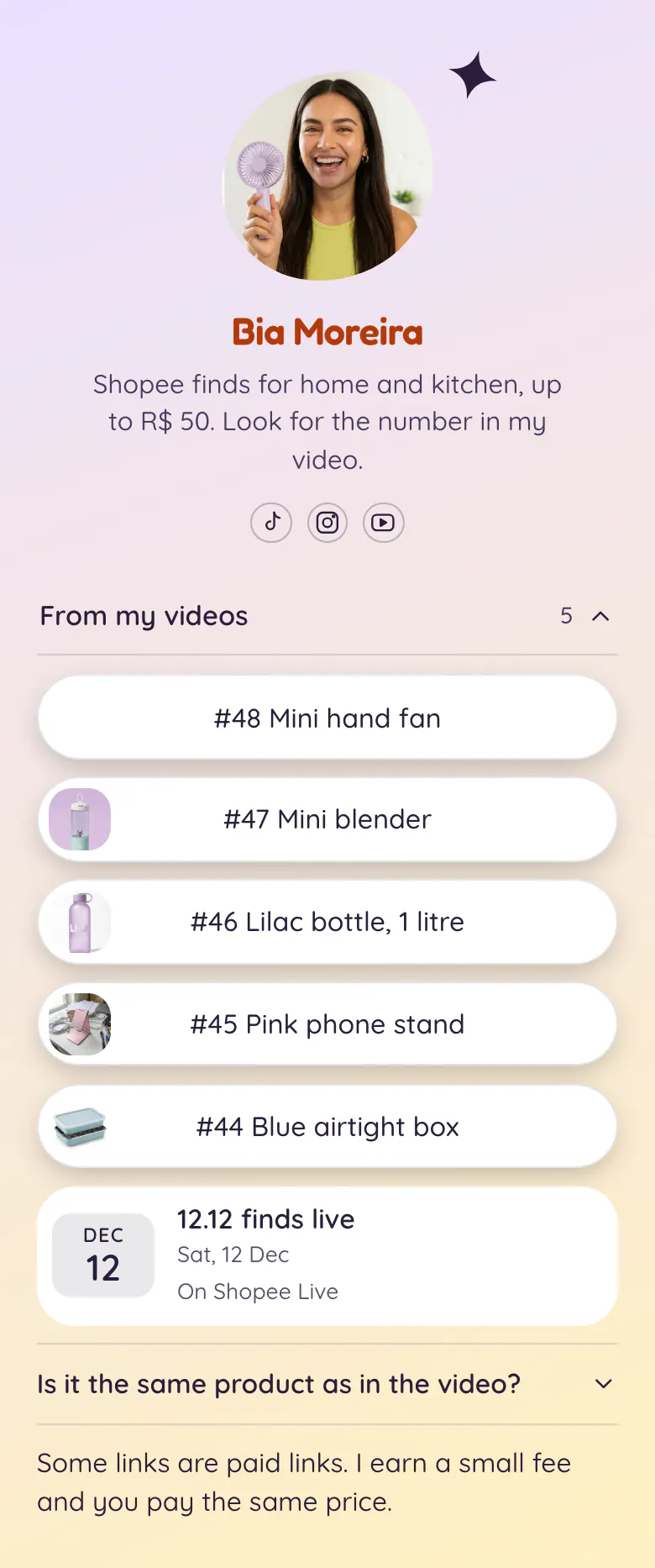
Shopee link in bio built on video numbers
A Shopee affiliate's link in bio should hold the finds from recent videos, numbered and newest first, then the next Shopee Live date, an answer about whether the product matches the video, and a note about paid links. Viewers remember a number better than a product name, so a numbered button ends the search. On More.You, each button can carry a small picture too.
What is on this page
- Name and bioBia MoreiraShopee finds for home and kitchen, up to R$ 50. Look for the number in my video.
- Social iconsTikTok, Instagram, YouTube
- CollectionFrom my videos5 links
Five finds sit under the title 'From my videos'. Add a second collection, such as kitchen, when the list grows long.
- Link#48 Mini hand fan
'#47 Mini blender' has the video number first and a small picture beside it. The viewer checks both before the tap.
- Link#47 Mini blender
- Link#46 Lilac bottle, 1 litre
- Link#45 Pink phone stand
- Link#44 Blue airtight box
- Event12.12 finds live12 Dec, On Shopee Live
The date of the next live, 12 Dec, sits under the finds with the words On Shopee Live. Viewers who shop during lives look for it.
- FAQIs it the same product as in the video?
Buyers of low-price finds doubt that the product matches the video. Your answer waits here, before they ask in the comments.
- TextSome links are paid links. I earn a small fee and you pay the same price.
A closing line tells visitors that some links are paid links, before anyone has to ask.
Who it is for
Built for the creator who films Shopee finds for TikTok, Instagram Reels or YouTube Shorts and says a number in every video. Bia keeps to home and kitchen finds up to R$ 50, and a narrow niche like hers fits best. For links that go to Amazon, the template for Amazon affiliates is the better start.
How to make it yours
Start with Video finds
Make your More.You page from Video finds. The collection is ready for your numbers, with the live date and the paid links note in place under it.
Number your own finds
Bia's five finds show where yours go. Keep the number from the video at the start of each button, add the product picture and paste your Shopee affiliate link.
Tell viewers the number
Put more.you/yourname in your TikTok, Instagram and YouTube bios once the page is published. In each video, show the number on screen and say that the link is in your bio.
- Add each new find as the first link in the collection when you post its video. Viewers expect the highest number first.
- Write your price limit in the bio line, as Bia does with up to R$ 50. A new visitor then knows what kind of finds to expect.
- When a product is out of stock, replace the link with the same item from another seller and keep the number.
Questions
What should a Shopee affiliate put in their link in bio?
List your finds by the number you say in each video, highest number first. Give every numbered button a picture of the product. Then add the date of your next live, one answer for buyers who doubt the product, and a line that tells people you earn from some links.
How do viewers find the product from my Shopee video?
Give each find a number, show it in the video and start the button text with the same number. A viewer who saw #46 looks for '#46 Lilac bottle, 1 litre' on your page and taps it. The small picture on the button confirms the item.
Do I need to say that my Shopee links are affiliate links?
Yes, say it on the page and in the video. In Brazil, as in many countries, advertising rules expect creators to mark content they earn from, and a clear note also builds trust. The sample ends with one line that says some links are paid links and that the buyer's price is the same.
Can I change the colours and the shape of the photo?
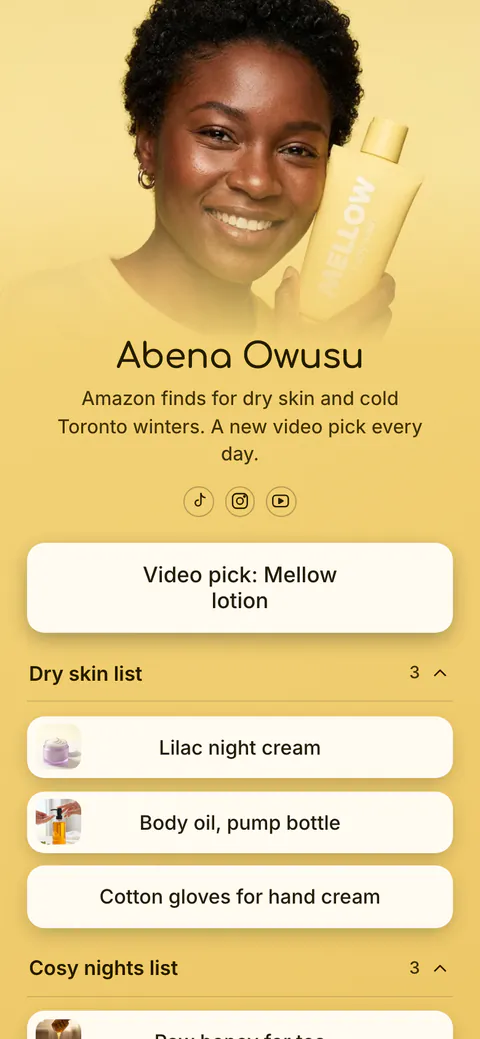
Both can change. The sample uses a lilac to yellow gradient, white buttons with a soft shadow and a photo in a Shape top. You can set your own background, button and text colours, and choose Classic, Hero, Banner, Cutout or Shape for the top of the page.
Start your page with this template
Type the name you want after more.you/ and create your account. Then change the words and photos to yours.
 more.you/yourname
Before you go
Put everything you share behind one link
More.You is a free link in bio page. No card needed.
- Start from a template made for your work
- Add links, products, bookings and events
- See how many people tap each link