Join this week and get Pro free for 6 monthsLiked the free tool? Get your own page with Pro freeMoving to More.You? Get Pro free for 6 monthsPick a template and get Pro free for 6 monthsTry every Pro feature free for 6 monthsPut it into practice with Pro free for 6 months
Get Pro freeSign upTemplatesSee all templatesPricing



Product
Page blocksLinks, products, bookings, events and opening hoursThemes and fonts15 colour themes, 31 fonts, buttons and backgroundsClick analyticsPage views, clicks on each link, countries and devicesLinktree importPaste your Linktree address and pick the links to bringResources
Free tool
Free UTM builder
Know which bio, post or email sent each visit to your site.
Your link
Where you will share it
Two more fields
Spaces become
Your tagged link
0Characters
Channel in Google Analytics 4Organic Social
Print it on flyers, menus or packaging. Each scan arrives with your tags.
Links you copied
Put your links on a More.You page. Link blocks add UTM tags by default, and free analytics count the clicks on each link.
Create your pageWhat a UTM builder does
A UTM builder adds short tags to the end of a link, such as utm_source=instagram and utm_medium=social. When someone opens the link, Google Analytics and most other analytics tools read the tags and record where the visit came from. Without tags, a visit from your Instagram bio and a visit from a WhatsApp chat can look the same in your reports.
Five tags are standard. Source names the site, app or sender. Medium names the kind of channel. Campaign names the promotion. Content tells two links in the same campaign apart, and term holds a paid search keyword. Google Analytics 4 reads source and medium to choose a channel for each visit, so the tool shows that channel next to every link you build.
Everything runs in your browser. The tool does not shorten, host or redirect your link, so the tagged link never expires and nothing you type is sent to a server.
QR Code is a registered trademark of DENSO WAVE INCORPORATED.
How to build a UTM link
Paste the page address
Paste the page people should land on. The tool adds https:// when you leave it out.
Pick where you will share it
A preset fills source and medium with values that Google Analytics 4 puts in the right channel.
Name the campaign
Use one short name for each promotion, such as spring_sale, and the same name on every link of that promotion.
Copy the link and test it
Open the link once, then look at the Realtime report in Google Analytics to see your visit arrive with its source.
UTM parameters and what to put in them
Use the same spelling every time, in lowercase and without spaces. Reports show Instagram and instagram as two different sources.
| Parameter | What it holds | Example |
|---|---|---|
| utm_source | The site, app or sender that sent the visit. | instagram, newsletter, google |
| utm_medium | The kind of channel. Google Analytics 4 reads it to choose the channel. | social, email, cpc, referral |
| utm_campaign | The name of the promotion. | spring_sale, book_launch |
| utm_content | What tells two links or two ads in one campaign apart. | bio_link, story, button |
| utm_term | The keyword you paid for in a search ad. | running_shoes |
| utm_id | A campaign ID that names one promotion. | spring_2026 |
Sources: Google Analytics, URL builders, Google Analytics, default channel group. Checked 17 November 2026.
On your More.You page
See which link people tap
Claim your free page and add your links. Link blocks carry UTM tags by default, and free analytics show views and clicks for each link for 30 days.
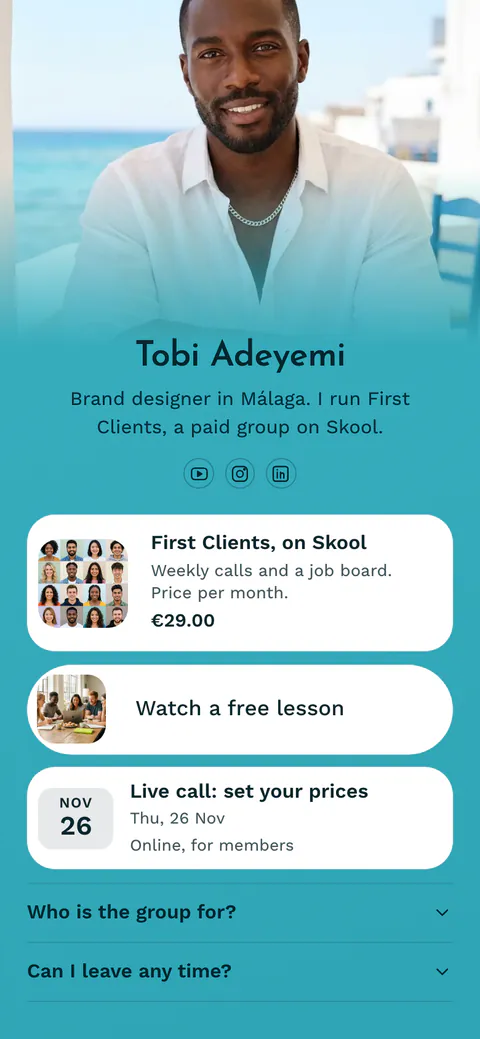
UTM builder questions
What is a UTM link?
A UTM link is a normal link with tags added after a question mark, such as ?utm_source=instagram&utm_medium=social. The page opens as usual. Your analytics tool reads the tags and records where the visit came from, so you can compare your bio, your posts, your emails and your ads in one report.
Which UTM parameters do I need?
Use source, medium and campaign on every link. Source names who sent the visit, medium names the kind of channel, and campaign names the promotion. Add content when two links in one campaign point to the same page, such as a bio link and a story link. Term is only for paid search keywords.
What should I put in utm_medium?
Use a word Google Analytics 4 knows, because the medium decides the channel. Use social for posts and bios, email for newsletters, cpc or paid_social for ads, and referral for links on other sites. A medium such as flyer, story or print is not in the default rules, so those visits land in Unassigned.
Why does my campaign show as Unassigned in Google Analytics 4?
Google Analytics 4 found no channel rule that matches your source and medium. The visits are still counted, and you can find them in the report by session source and medium. To place them in a channel, change the medium on new links to a known value, such as social, email or referral. The tool shows the channel before you share.
Should I add UTM tags to my Instagram or TikTok bio link?
Yes, when the link goes to your own website. Without tags, the visits often appear as a referral from the app or as direct traffic, and you cannot tell your bio from your stories. Add tags with source instagram or tiktok, medium social and content bio_link. Then compare each place in the same report.
Do UTM links expire?
No. The tags are part of the link itself, and this tool does not shorten, host or redirect it. The link works for as long as your page works. If a page address changes later, build a new link for the new address and keep the same campaign name, so your reports stay together.
Can I make a QR code from a UTM link?
Yes. Press QR code under your link and download a PNG for screens or an SVG for print. Each scan opens the tagged link, so the visit arrives with your source and medium. Google Analytics 4 has no channel for print, so find printed codes in the report by source and medium.
Is this UTM builder free, and is my link saved?
The tool is free, with no account and no limit. Everything runs in your browser and nothing is sent to a server. The links you copy are kept in a short list in this browser only, so you can copy them again. Press Clear the list to remove them.
 more.you/yourname
Before you go
Put everything you share behind one link
More.You is a free link in bio page. No card needed.
- Start from a template made for your work
- Add links, products, bookings and events
- See how many people tap each link