Join this week and get Pro free for 6 monthsLiked the free tool? Get your own page with Pro freeMoving to More.You? Get Pro free for 6 monthsPick a template and get Pro free for 6 monthsTry every Pro feature free for 6 monthsPut it into practice with Pro free for 6 months
Get Pro freeSign upTemplatesSee all templatesPricing



Product
Page blocksLinks, products, bookings, events and opening hoursThemes and fonts15 colour themes, 31 fonts, buttons and backgroundsClick analyticsPage views, clicks on each link, countries and devicesLinktree importPaste your Linktree address and pick the links to bringResources
TemplateHome finds
Link in bio template for affiliate creators
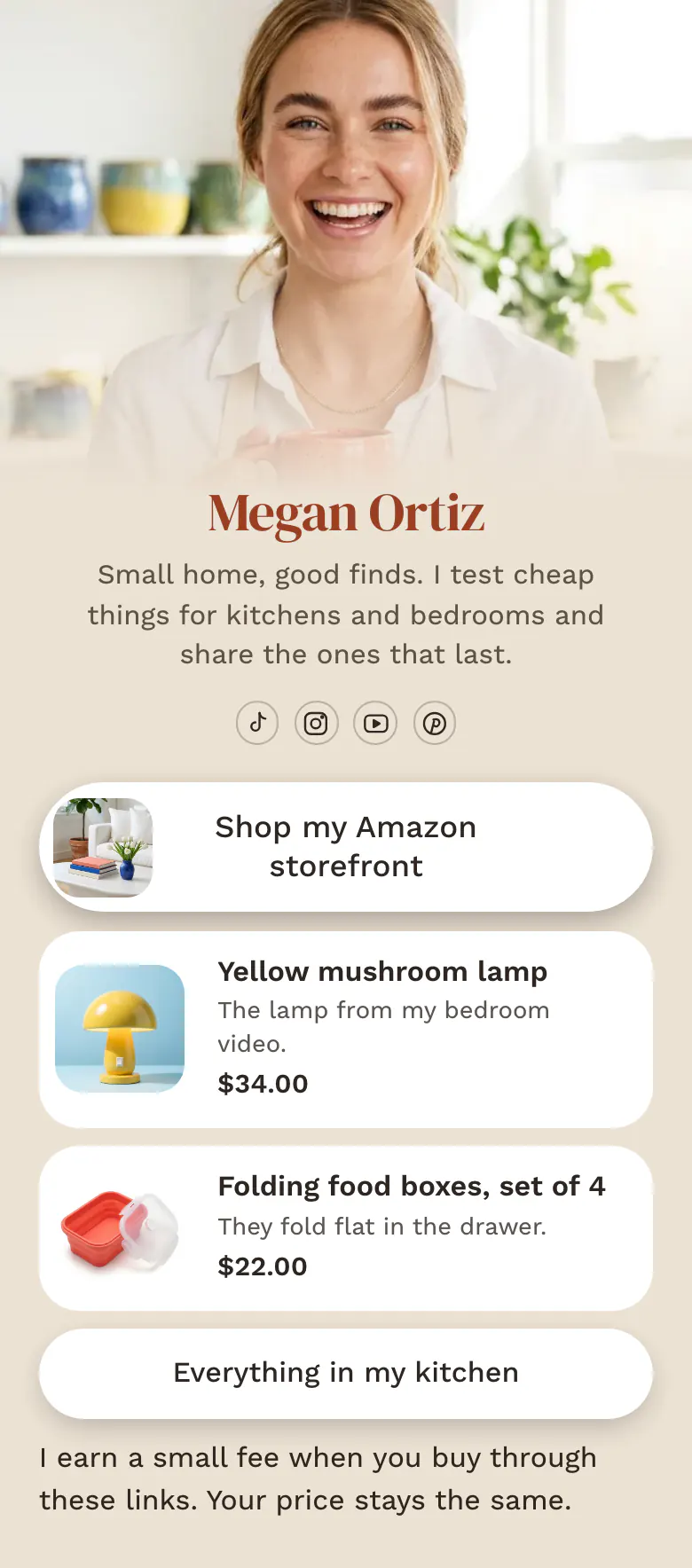
A follower arrives with one question, where that lamp is from. The page answers with your storefront button first, then the lamp and the food boxes, each with a picture, a price and a short line in your own words.
Link in bio order for affiliate creators
Affiliate creators should put the full storefront at the top of their link in bio, then products from their newest videos with pictures and prices, a longer list by room or topic, and a plain line about commission. Followers tap the bio to find one item they saw a moment ago, so new finds sit near the top.
What is on this page
- Name and bioMegan OrtizSmall home, good finds. I test cheap things for kitchens and bedrooms and share the ones that last.
- Social iconsTikTok, Instagram, YouTube, Pinterest
- Featured linkShop my Amazon storefront
'Shop my Amazon storefront' sits first, taller than the other buttons, with a small picture. Followers who like to browse start here.
- ProductYellow mushroom lamp$34.00
Someone who came for the lamp sees its photo and price, taps the card and reaches the store page.
- ProductFolding food boxes, set of 4$22.00
- LinkEverything in my kitchen
'Everything in my kitchen' opens a longer list. The page stays short, and a follower can still reach older finds.
- TextI earn a small fee when you buy through these links. Your price stays the same.
The disclosure in plain words. You earn a small commission when someone buys through a link, and their price stays the same.
Who it is for
Creators who earn commission through Amazon, LTK, ShopMy or other programmes and post home, kitchen or beauty finds on TikTok and Instagram. One person with a storefront and a few current favourites is the best fit. If you keep many links sorted into idea lists, start from a template with collections, such as the one for Amazon affiliates.
How to make it yours
Open the affiliate template
The Use this template button opens the sign-up form. After that, the storefront button, two product cards, a list link and the disclosure text are yours to edit.
Change the finds to yours
Paste your storefront address into the first button. Replace the lamp and the food boxes with the items from your last two videos, each with a photo, a price and your affiliate link.
Tell followers where to look
Publish first, then put more.you/yourname in your TikTok and Instagram bios. Say 'link in my bio' in the next video, and followers know where to look.
- Name each product the way followers ask for it. 'The lamp from my bedroom video' answers the comment before anyone writes it.
- Check typed prices against the store once a week. Store prices change, and some affiliate programmes have their own rules about showing them.
- If your programme wants the disclosure before the links, move that text block up, above the first product card.
Questions
What should an affiliate creator put in their link in bio?
Put your storefront first, then show the few items people ask about this week. Add one link to a longer list and a short disclosure about commission. Old finds can leave the page when you post a new video, so the top always matches what followers saw last.
Do I need an affiliate disclosure on my link in bio page?
Yes, say clearly that you earn from the links. The rules in many countries and in most affiliate programmes ask for a disclosure that visitors can see and understand. The sample uses one plain line: the creator earns when you buy through these links, and your price stays the same. Check the exact wording your programme asks for.
How many affiliate links should I show in my bio?
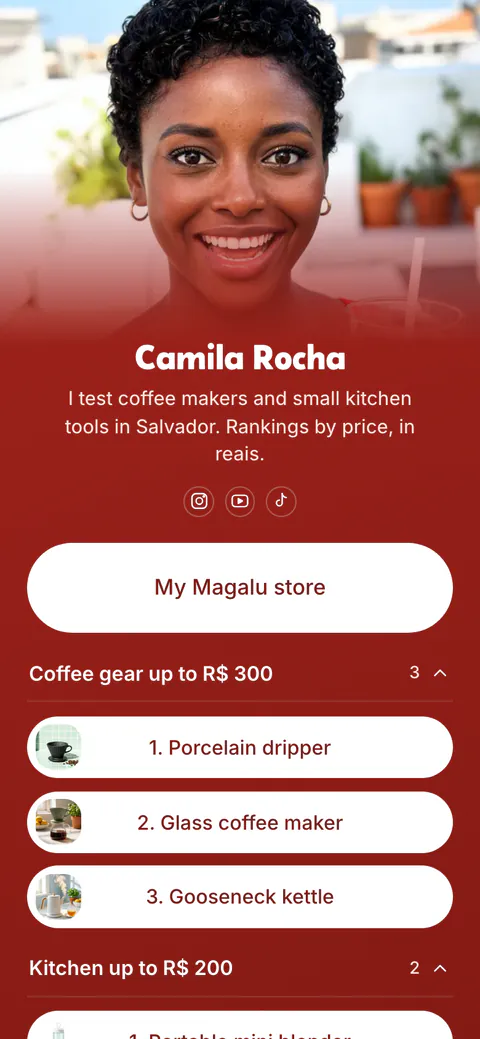
Show a few current finds and send the rest to your storefront. The sample has two product cards and one button for everything in the kitchen. A short page lets a follower find the item from today's video without a long scroll. Each link shows how many times visitors tapped it, so you see whether followers still open the kitchen list.
Can I make a link in bio for affiliate marketing for free?
Yes, it is free to create and publish. The Free plan has one page and every block type, which covers the featured storefront button, the product cards and the disclosure text. A page holds up to 50 blocks, so there is room for a long list of finds.
Start your page with this template
Type the name you want after more.you/ and create your account. Then change the words and photos to yours.
 more.you/yourname
Before you go
Put everything you share behind one link
More.You is a free link in bio page. No card needed.
- Start from a template made for your work
- Add links, products, bookings and events
- See how many people tap each link