Join this week and get Pro free for 6 monthsLiked the free tool? Get your own page with Pro freeMoving to More.You? Get Pro free for 6 monthsPick a template and get Pro free for 6 monthsTry every Pro feature free for 6 monthsPut it into practice with Pro free for 6 months
Get Pro freeSign upTemplatesSee all templatesPricing



Product
Page blocksLinks, products, bookings, events and opening hoursThemes and fonts15 colour themes, 31 fonts, buttons and backgroundsClick analyticsPage views, clicks on each link, countries and devicesLinktree importPaste your Linktree address and pick the links to bringResources
TemplateFirst visit
Link in bio template for clinics and practices
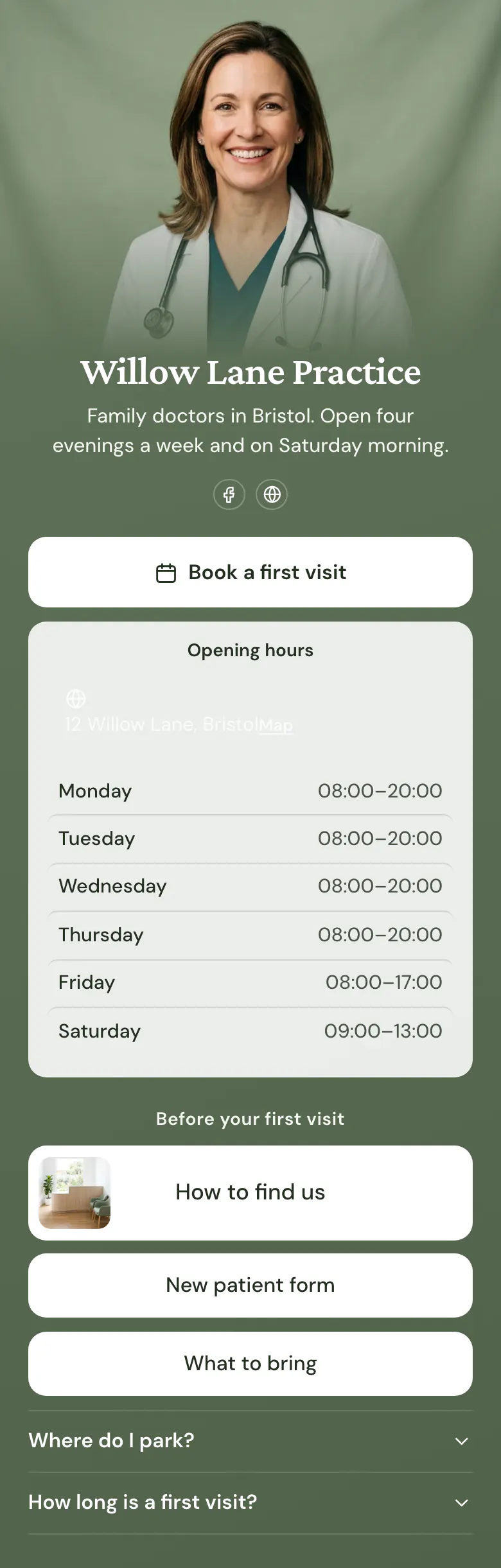
Evening and Saturday hours sit right under Book a first visit, because a new patient checks both together. Next come directions with a photo of reception, the new patient form and a list of what to bring, so reception answers fewer calls.
A clinic's link in bio, from booking to parking
The link in bio of a clinic or practice needs, in this order: a button to book a first visit, opening hours, directions, the new patient form, and answers about parking and visit length. New patients decide on the first screen if they can get an appointment. The rest of the page prepares them for the day.
What is on this page
- Name and bioWillow Lane PracticeFamily doctors in Bristol. Open four evenings a week and on Saturday morning.
- Social iconsFacebook, Website
- BookingBook a first visit
Sends a new patient to the booking service your practice already uses. Most new patients tap it before they read anything else.
- Opening hoursMonday to Saturday12 Willow Lane, Bristol
Your hours for each day, with today's row marked. Patients look here for evenings and Saturday before they phone.
- Section titleBefore your first visit
Divides the page. Booking and hours sit above it, and everything a patient prepares at home sits below.
- Featured linkHow to find us
Pairs the directions with a photo of reception, so a first-time patient recognises the room they walk into.
- LinkNew patient form
The form link lets a patient complete the details at home. The second link lists what to bring on the day.
- LinkWhat to bring
- FAQWhere do I park?2 questions
Parking and visit length are questions reception hears every day. Each answer opens when a patient taps it.
Who it is for
Family practices, dental surgeries, physiotherapy rooms and other clinics with a front desk, where new patients find the practice on Facebook or a local search and then phone to ask the same things. A nutritionist who sells consultations and meal plans is better served by the template for nutritionists, which adds a product with its price.
How to make it yours
Choose First visit
The Use this template button opens sign-up. Register with a shared practice email, so the page stays with the practice when staff change.
Enter your practice details
Replace the sample name, the doctor's photo and the bio with your practice's own. Paste your booking link, set your hours for each day, and link your own new patient form and directions.
Share it where patients are
Publish, then add the address to your practice's Facebook page and website. Put it in appointment emails too, so new patients read what to bring before they come.
- Say in the bio line if you accept new patients. It is the first thing people want to know, and many practices forget it.
- Add a short text block for urgent cases that says who to call. A booking button is for planned visits, and patients should understand that immediately.
- Change the hours block before public holidays and training days. A patient who arrives at a closed door may choose another practice.
Questions
What should a clinic or medical practice put in its link in bio?
Booking, opening hours and everything a new patient needs before the first visit. Start with the booking button, because most people open the link to get an appointment. Under it, show hours, directions, the new patient form and short answers about parking and how long a visit takes.
Can patients book an appointment from our Instagram or Facebook bio link?
Yes, through the booking service your practice already uses. The page's booking button opens your own booking page, for example on Calendly, Square or Mindbody, and any booking link works. The patient chooses a time there, so patient details stay in the system your practice trusts.
Do opening hours and parking belong in a clinic's bio link?
Both belong there. A new patient checks them before leaving home, and a page that answers them saves reception a call. The sample page lists hours for each day with today's row marked, and its parking answer says where the spaces are and which street to use.
Can we change the green colour and the photo to match our practice?
You can change both. A practice sets its own colours for the background, the buttons and the text, and replaces the cover photo with a picture of its team or building. There are 31 fonts for the practice name and text. Design changes to a clinic page are kept when you press Save.


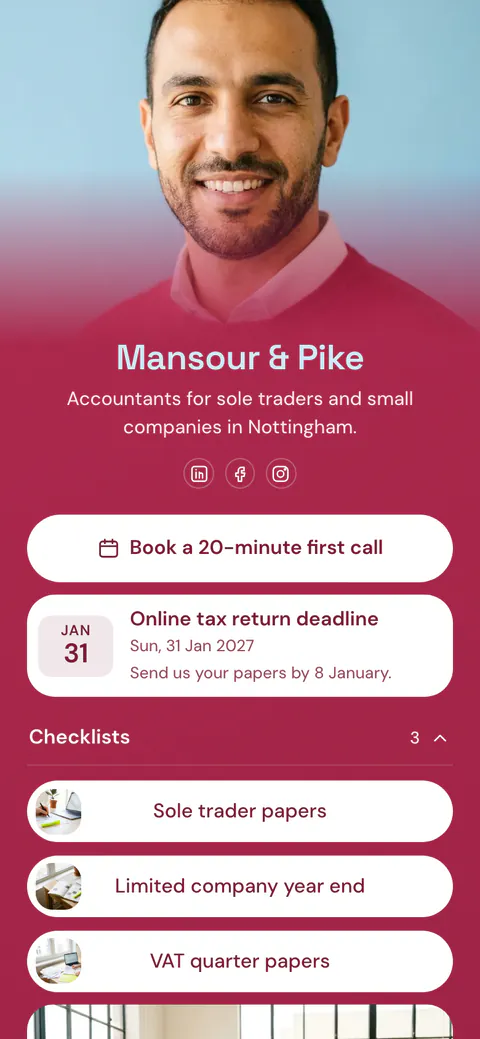
Start your page with this template
Type the name you want after more.you/ and create your account. Then change the words and photos to yours.
 more.you/yourname
Before you go
Put everything you share behind one link
More.You is a free link in bio page. No card needed.
- Start from a template made for your work
- Add links, products, bookings and events
- See how many people tap each link