Join this week and get Pro free for 6 monthsLiked the free tool? Get your own page with Pro freeMoving to More.You? Get Pro free for 6 monthsPick a template and get Pro free for 6 monthsTry every Pro feature free for 6 monthsPut it into practice with Pro free for 6 months
Get Pro freeSign upTemplatesSee all templatesPricing



Product
Page blocksLinks, products, bookings, events and opening hoursThemes and fonts15 colour themes, 31 fonts, buttons and backgroundsClick analyticsPage views, clicks on each link, countries and devicesLinktree importPaste your Linktree address and pick the links to bringResources
TemplateGuest rooms
Link in bio template for hotels and guesthouses
A photo of the garden or the breakfast table brings a guest to your bio. From there they need two things, a room to look at and a way to reserve it. 'Book a room' sits on top, with the room photos directly under it.
What guests look for in a hotel's bio link
Put a button to book a room first in a hotel or guesthouse link in bio, then photos of the rooms, answers about check-in and breakfast, directions, and a form for seasonal offers. Guests compare several places in one evening, and a clear booking button with honest photos helps them choose yours.
What is on this page
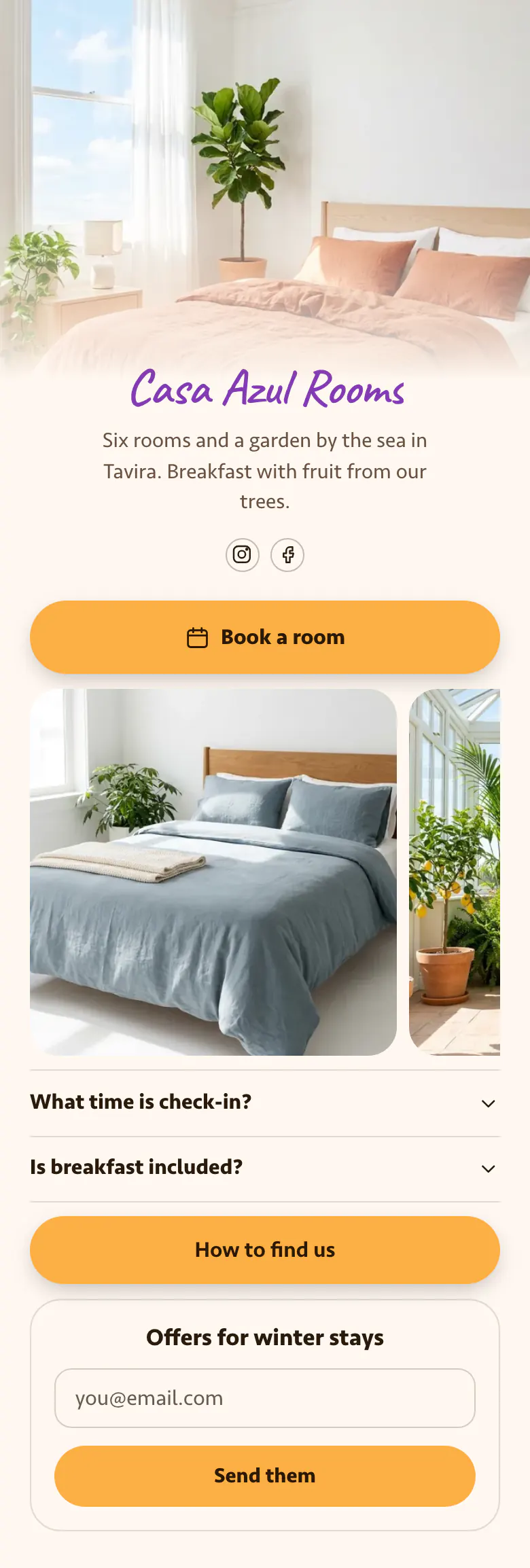
- Name and bioCasa Azul RoomsSix rooms and a garden by the sea in Tavira. Breakfast with fruit from our trees.
- Social iconsInstagram, Facebook
- BookingBook a room
Guests choose their dates on your own booking page or the service you already use. This button takes them there from the top of the page.
- Gallery3 pictures
A blue bedroom is the first photo, and a glass room with a lemon tree is next. Guests see each room before they ask for one.
- FAQWhat time is check-in?2 questions
Check-in time and breakfast are answered on a tap, the way a front desk would answer them.
- LinkHow to find us
'How to find us' opens your directions, for the guest who is already on the way.
- Email signupOffers for winter staysSend them
One field for an email address and a 'Send them' button let a guest ask for your winter offers.
Who it is for
If you run a guesthouse, a B&B or a small hotel, take direct bookings and have a few rooms to show, start here. Guests discover you on Instagram or Facebook, often long before the trip. A business that plans group trips and rents no rooms belongs on the template for travel agencies.
How to make it yours
Select the Guest rooms template
Places that take direct bookings should select Guest rooms. It starts with a booking button, room photos and two guest questions, and ends with directions and a form for offers.
Show your rooms
Add one photo for each room and paste your booking link. Type your real check-in time and breakfast answer, then put your own name and cover photo where Casa Azul's are.
Add it to confirmation emails
Publish before your busy months. The address more.you/yourname belongs in your Instagram and Facebook profiles and in your booking confirmation emails, where guests look for directions.
- Use one photo for each room and keep them in the same order as your booking page. Guests then know which room they are reserving.
- Rename the form each season. 'Offers for winter stays' works in autumn, and a summer title works from spring.
- Show a discount code after sign-up if you want more direct bookings in quiet months. The email signup block has that option.
Questions
What should a hotel or guesthouse put in its link in bio?
Open with a booking button and follow it with pictures of the rooms. After that, answer check-in time and breakfast, and link your directions. A small email form for offers gives people who are not ready to book a reason to leave their address.
Which guest questions should a hotel answer in its link in bio?
Answer check-in time and breakfast first, because guests ask about both before most stays. The sample page has them as 'What time is check-in?' and 'Is breakfast included?'. Add late arrival, parking and pets if those questions reach you every week. Each written answer is one message fewer on a busy changeover day.
How do we get more direct bookings from social media?
Make the direct route shorter than the route through a booking site. One bio page with your own booking link, real room photos and clear check-in answers gives a guest what they need to reserve with you. A discount code shown after email sign-up gives returning guests a reason to book direct.
Can a guesthouse use its own photos and colours on this template?
Yes. Your own photo becomes the cover at the top of the page. The cream background, the orange buttons and the text colour can all change, and the handwritten name of the sample is one of 31 fonts. The page itself costs a guesthouse nothing to create and publish.
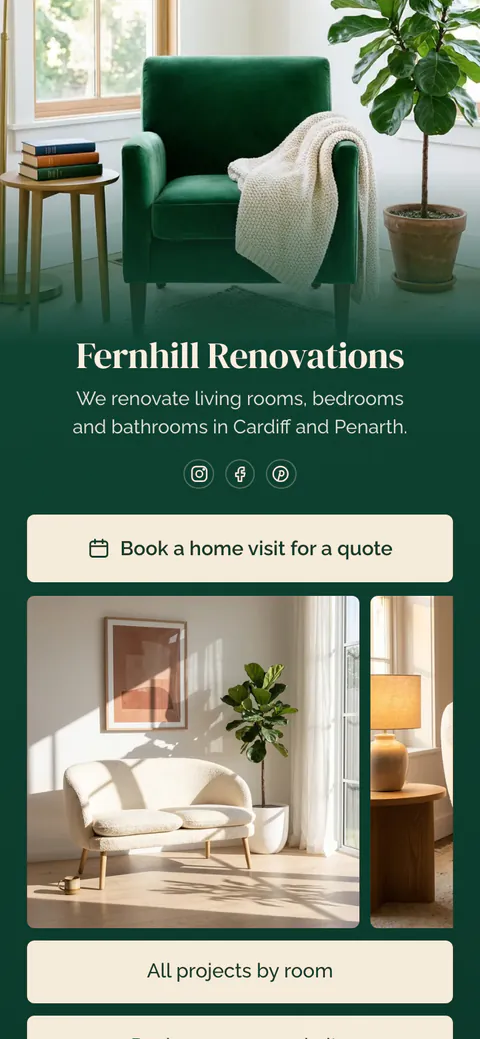
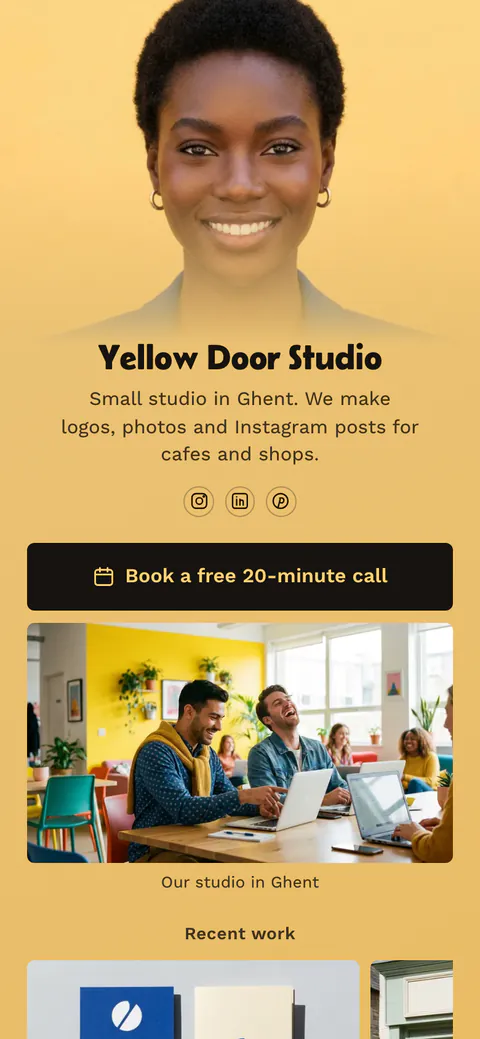
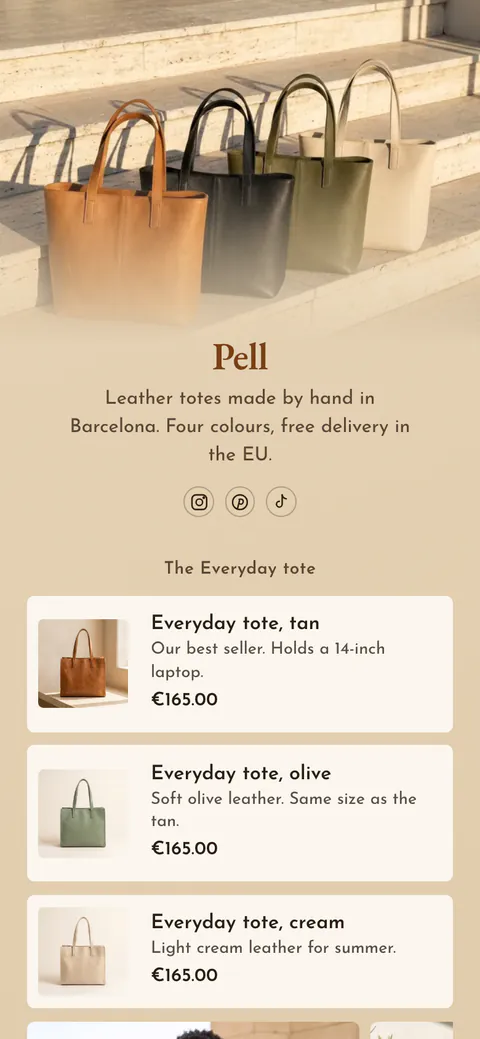
Start your page with this template
Type the name you want after more.you/ and create your account. Then change the words and photos to yours.
 more.you/yourname
Before you go
Put everything you share behind one link
More.You is a free link in bio page. No card needed.
- Start from a template made for your work
- Add links, products, bookings and events
- See how many people tap each link