Join this week and get Pro free for 6 monthsLiked the free tool? Get your own page with Pro freeMoving to More.You? Get Pro free for 6 monthsPick a template and get Pro free for 6 monthsTry every Pro feature free for 6 monthsPut it into practice with Pro free for 6 months
Get Pro freeSign upTemplatesSee all templatesPricing



Product
Page blocksLinks, products, bookings, events and opening hoursThemes and fonts15 colour themes, 31 fonts, buttons and backgroundsClick analyticsPage views, clicks on each link, countries and devicesLinktree importPaste your Linktree address and pick the links to bringResources
TemplateCoral wall
Link in bio template for social media managers
Your own profile is your first sample, so the page is short. A button for a 20-minute call comes first, recent client work second, and package contents and prices close it for the owner who compares several freelancers.
Bio link checklist for social media managers
The link in bio of a social media manager should open with a button to book a short call, then show recent work for clients, what a monthly package includes, what it costs, and a link to all packages. A business owner decides on proof and a clear price, and a call button at the top lets them act while they are interested.
What is on this page
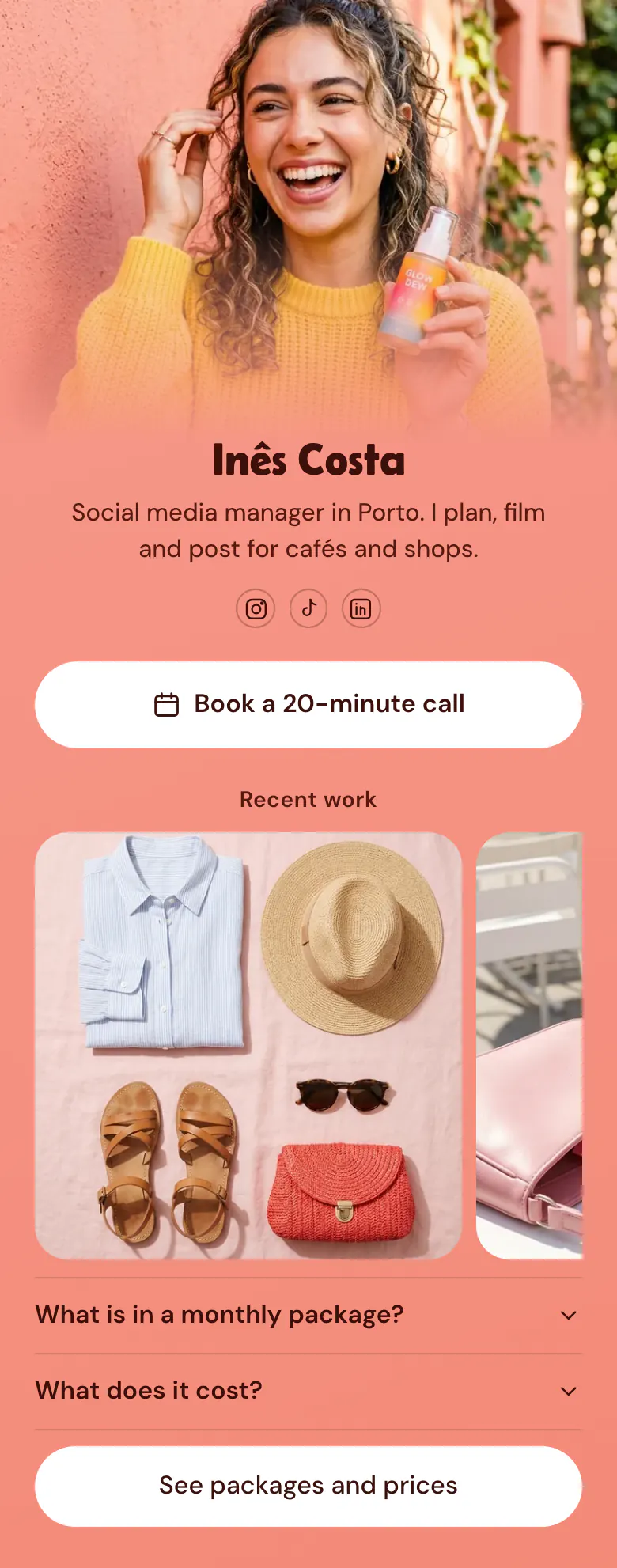
- Name and bioInês CostaSocial media manager in Porto. I plan, film and post for cafés and shops.
- Social iconsInstagram, TikTok, LinkedIn
- BookingBook a 20-minute call
The first button opens your booking service, where a business owner chooses a day for a 20-minute call.
- Section titleRecent work
'Recent work' marks where your proof starts. An owner knows the pictures under it were made for paying clients.
- Gallery3 pictures
Pictures made for clients, like the flat lay of a shirt, a straw hat and sandals. An owner judges whether your style fits their shop.
- FAQWhat is in a monthly package?2 questions
What a monthly package holds and what it costs. An owner who has read both comes to the call with real questions.
- LinkSee packages and prices
'See packages and prices' comes last. An owner who needs more than one package finds the full list there.
Who it is for
Freelance social media managers and small content studios with a few local clients, for example cafés, shops or salons. The next client finds them through their own Instagram, TikTok or LinkedIn profile. Someone who mainly films paid videos for brands and sends a rate card is closer to the template for UGC creators.
How to make it yours
Use the Coral wall template
Your account starts at the Use this template button. A call button, a gallery for client work, two answers and a packages link are ready for your own words.
Show your client work
Paste your Calendly or Cal link into the call button. Upload three pieces made for clients, then write what your monthly package holds and what it costs.
Link it on every profile
Publish and place more.you/yourname on your Instagram, TikTok and LinkedIn profiles, and under your name in each email to a possible client.
- Say who you work for in your first line, as the sample does with cafés and shops. Owners look for someone who knows their kind of business.
- Choose gallery pictures from three different clients. One client shown three times looks like one job.
- Write the length of the call on the button. 'Book a 20-minute call' asks for less than 'Book a meeting', and busy owners agree to less.
Questions
What should a social media manager put in their link in bio?
Give owners one way to talk to you, then show proof. A call button, three recent pieces for clients, your monthly package and its price cover what an owner needs. Add a link to all packages at the end. Your own bio link is also a sample of your work, so keep it short and current.
How do social media managers get clients from Instagram?
Point your own profile at one page that makes the next step small. Say in your bio who you work for, then link a page with a button for a short call, recent client work and one package with its price. An owner who watched your Reels can then book 20 minutes with you before they forget.
Can a link in bio work as a social media manager's portfolio?
Yes, a gallery of a few strong pieces is enough for a first look. The sample shows three pictures under the heading 'Recent work', and an owner can judge your style from them. Choose work for the kind of client you want more of, and replace a picture each time you finish a better one.
Is this template free for a freelance social media manager?
A freelance social media manager can create and publish the page for free. The Free plan has one page and every block type, so the booking button, the gallery and the FAQ are part of it. The coral background, the font and the button style can all change to your own brand colours.
Start your page with this template
Type the name you want after more.you/ and create your account. Then change the words and photos to yours.
 more.you/yourname
Before you go
Put everything you share behind one link
More.You is a free link in bio page. No card needed.
- Start from a template made for your work
- Add links, products, bookings and events
- See how many people tap each link