Join this week and get Pro free for 6 monthsLiked the free tool? Get your own page with Pro freeMoving to More.You? Get Pro free for 6 monthsPick a template and get Pro free for 6 monthsTry every Pro feature free for 6 monthsPut it into practice with Pro free for 6 months
Get Pro freeSign upTemplatesSee all templatesPricing



Product
Page blocksLinks, products, bookings, events and opening hoursThemes and fonts15 colour themes, 31 fonts, buttons and backgroundsClick analyticsPage views, clicks on each link, countries and devicesLinktree importPaste your Linktree address and pick the links to bringResources
TemplateWeekly call
Link in bio template for Skool creators
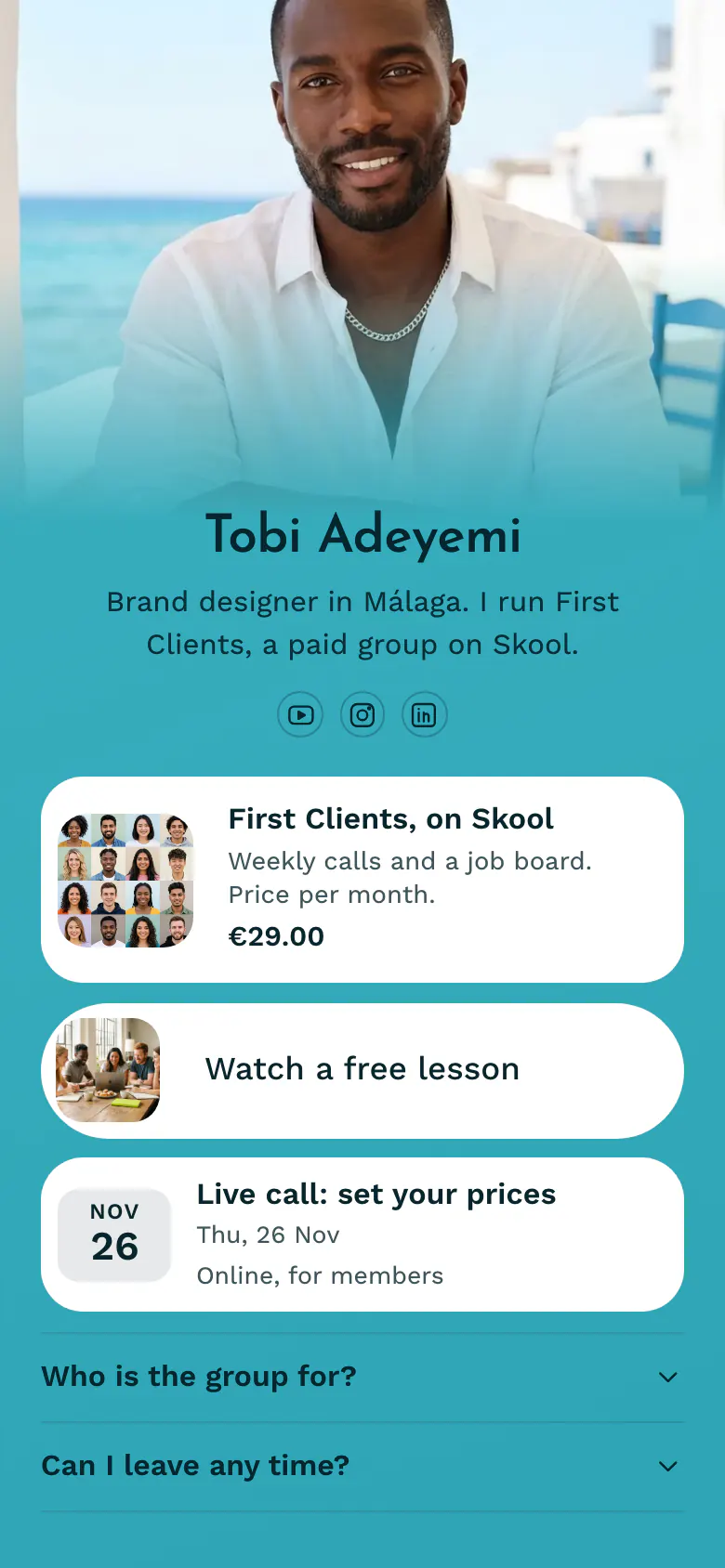
Followers look for the price first, so First Clients shows it at the top, €29.00 per month, with weekly calls and a job board. A free lesson and the next live call come after it, for people who want proof before they join.
The short answer for Skool creators
A Skool creator's bio link should lead with the paid group, its price and what members get, followed by a free lesson, the date of the next live call, and answers about who the group is for and how to leave. A visible price with a free lesson removes the doubts about cost and quality.
What is on this page
- Name and bioTobi AdeyemiBrand designer in Málaga. I run First Clients, a paid group on Skool.
- Social iconsYouTube, Instagram, LinkedIn
- ProductFirst Clients, on Skool€29.00
Shows the group name, what members get and the price per month. One tap opens your group's page on Skool.
- Featured linkWatch a free lesson
Gives an unsure visitor a free lesson to watch, with a picture, before they decide to join.
- EventLive call: set your prices26 Nov, Online, for members
Names the next live call with its date and place, proof that the group meets.
- FAQWho is the group for?2 questions
Covers who the group is for and says members pay month by month, the doubts that stop people at the price.
Who it is for
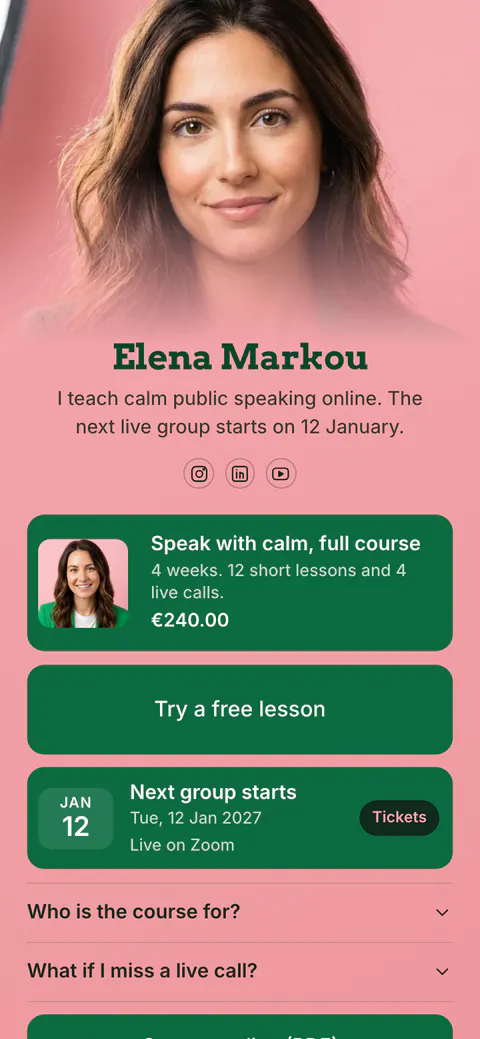
Creators who run one paid community on Skool and attract people from YouTube, Instagram or LinkedIn. The page works best for a solo expert with a clear promise and a weekly call. A course with a fixed start date belongs on the template for course creators, which shows the day the next group starts.
How to make it yours
Use your Skool name
Start at the Use this template button and create your account in the name your Skool members know. Tobi's group, First Clients, fills the page until you replace it.
Add your group
Write your group name, a short line about what members get and your monthly price. Link your Skool page and one free lesson, and enter the date of your next call.
Post the link after videos
Your published address belongs in your YouTube, Instagram and LinkedIn profiles. Mention it at the end of each free video, where new Skool members usually come from.
- Enter the next date in the event on the day a live call ends. A past date makes an active group look quiet.
- Choose a free lesson that solves one small problem fully. A visitor who gets a result from it trusts the paid group more than any description.
- Give the price with its period, like the sample's price per month. People leave when they have to guess if a number is monthly or yearly.
Questions
What should a Skool creator put in their link in bio?
Your group, a free sample of it and the next live date. Show the group with its price so nobody has to ask, add a free lesson for people who need proof, and list the next call. Then answer who the group is for and if members can leave any time.
What makes followers join a paid Skool group?
A clear result, a visible price and a free lesson. Send every viewer from Instagram or YouTube to one page that shows all three in a few lines. People who watch the lesson and still want more are the ones most likely to join and stay.
Should my bio link go to my Skool group or to a page first?
A page first helps when followers do not know you yet. The Skool join page asks for a decision at once, and a new visitor may not be ready. A bio page shows the price, a free lesson and the next live call, so the people who continue to Skool have already seen what they get.
Does it cost anything to make this page for my Skool group?
No. A Skool creator can create and publish this page on the Free plan, which has one page and every block type. The product block shows prices in 12 currencies, and Tobi's sample group uses euros.
Start your page with this template
Type the name you want after more.you/ and create your account. Then change the words and photos to yours.
 more.you/yourname
Before you go
Put everything you share behind one link
More.You is a free link in bio page. No card needed.
- Start from a template made for your work
- Add links, products, bookings and events
- See how many people tap each link