Join this week and get Pro free for 6 monthsLiked the free tool? Get your own page with Pro freeMoving to More.You? Get Pro free for 6 monthsPick a template and get Pro free for 6 monthsTry every Pro feature free for 6 monthsPut it into practice with Pro free for 6 months
Get Pro freeSign upTemplatesSee all templatesPricing



Product
Page blocksLinks, products, bookings, events and opening hoursThemes and fonts15 colour themes, 31 fonts, buttons and backgroundsClick analyticsPage views, clicks on each link, countries and devicesLinktree importPaste your Linktree address and pick the links to bringResources
TemplateSunny shelf
Link in bio template for shops and boutiques
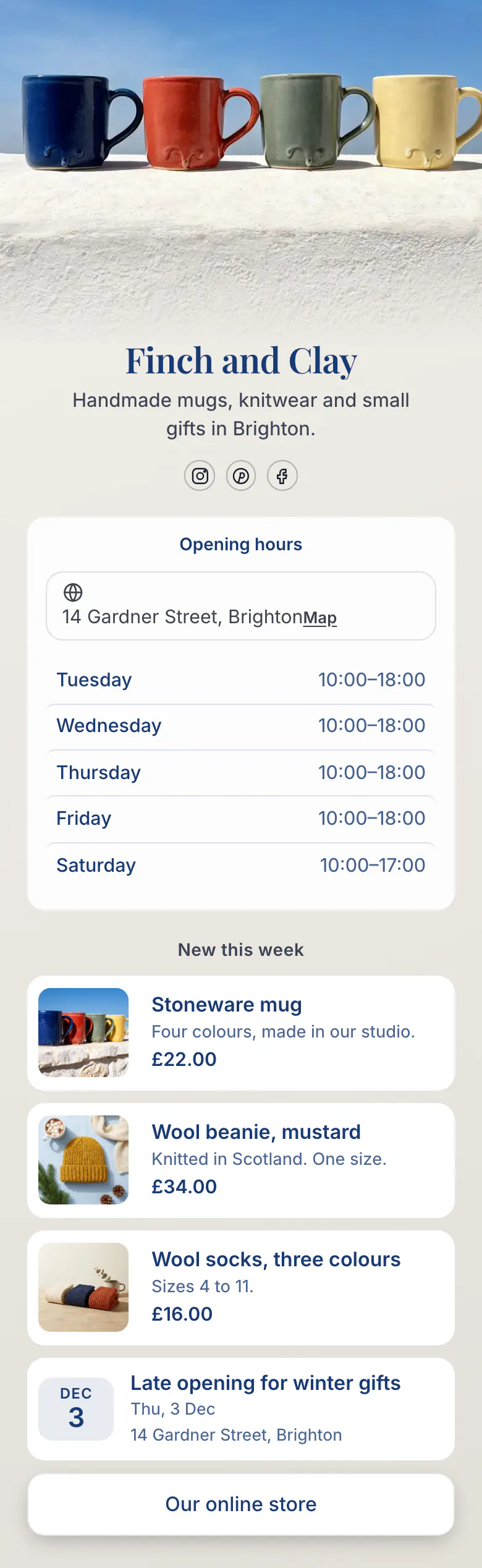
Before a local walks to a shop, they check the hours. Finch and Clay put hours and address first for that reason. Three new arrivals with prices, a late opening on 3 Dec and the online store follow.
Bio link basics for a small shop
Opening hours and the address belong first in a shop or boutique's link in bio, followed by a few new products with photos and prices, the next event in the shop, and a link to the online store. Followers nearby want to know if a visit is possible today, and followers far away need a way to see the range online.
What is on this page
- Name and bioFinch and ClayHandmade mugs, knitwear and small gifts in Brighton.
- Social iconsInstagram, Pinterest, Facebook
- Opening hoursTuesday to Saturday14 Gardner Street, Brighton
It lists your hours for each day, marks today's row and carries the street address, so a local can plan a visit.
- Section titleNew this week
The heading says New this week. Regulars read it and know the items under it arrived after their last visit.
- ProductStoneware mug£22.00
Each new arrival gets a photo, a name, one line and a price, like the £22 stoneware mug. Tap one and your own store opens.
- ProductWool beanie, mustard£34.00
- ProductWool socks, three colours£16.00
- EventLate opening for winter gifts3 Dec, 14 Gardner Street, Brighton
The late opening for winter gifts, with its date and the shop's address. Use the same block for launches and market stalls.
- LinkOur online store
'Our online store' is the final button, for visitors who live too far away to visit the shop.
Who it is for
Think of a shop with a door on a street, new stock most weeks and an Instagram account that locals follow. Finch and Clay is one, and gift shops, clothing boutiques, bookshops and homeware stores fit too. With no shop floor and every order online, hours are the wrong first block. Choose the template for online brands, where the products come first.
How to make it yours
Rename the shop
Start from this template and replace Finch and Clay with your shop name. Say what you stock and where in one line, like 'Handmade mugs, knitwear and small gifts in Brighton'.
Add hours and new stock
Enter the shop's hours for each day and its street address. Replace the mug, beanie and socks with three things that arrived this week, each with a photo and a price.
Tell customers where it is
After you publish, add the address to the shop's Instagram, Pinterest and Facebook profiles. Mention it on receipts and bags, so walk-in customers find the online store later.
- Pick one day of the week for new products and never change it. Regulars learn to check the link when the heading says New this week.
- Write sizes and colours in the product line, as Finch and Clay do with 'Sizes 4 to 11'. It saves a message and a wasted trip.
- Create an event for every late opening or market stall, and remove it the next morning. An old date makes the whole shop look closed.
Questions
What should a shop or boutique put in its link in bio?
Your hours for each day and your address come before anything else, because a visitor needs them to reach your door. New stock comes next. Three products with photos and prices, like the mug, beanie and socks on Finch and Clay's page, show a week's arrivals. Add the next event in the shop and close with one button to your online store.
Where do I put my shop's opening hours for Instagram followers?
Put the shop's hours on the page behind your profile link. The opening hours block lists your hours for each day and marks today's row, and the address sits with it. When hours change for a holiday, edit the block before you post about the change, so both say the same thing.
Can customers shop my products from the bio link?
They see each product with its photo and price, and one tap opens your own store, where they order. A price can be in any of 12 currencies, and this Brighton shop uses pounds. On Finch and Clay's page, a stoneware mug at £22 and two knitwear items sit above a button to the full online store.
How much does a link in bio page cost a small shop?
Creating and publishing the page costs a small shop nothing. Hours, products, an event and a store link are all on the Free plan, which has one page and every block type. The look is yours to change too. Replace the mugs in the cover photo with your own shelf or window, and set your colours and the font of the shop name.
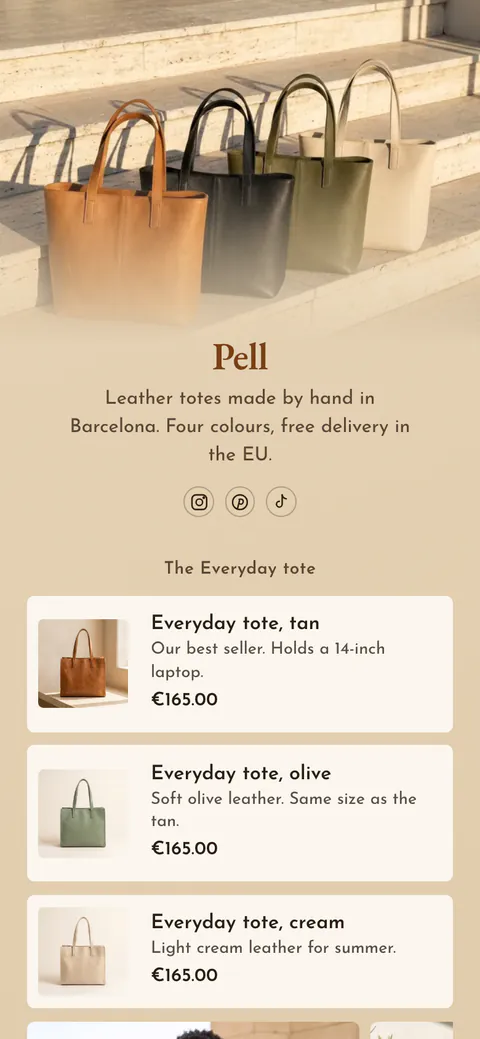
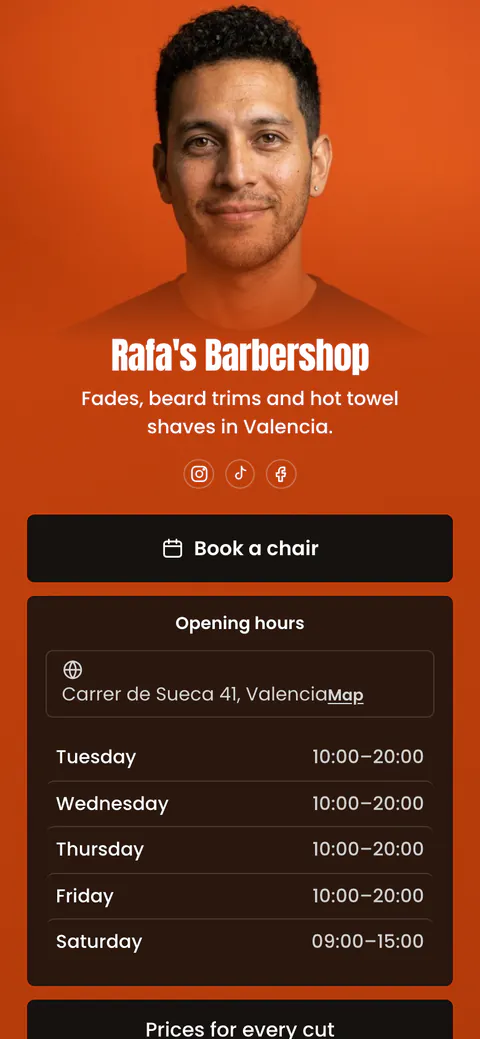
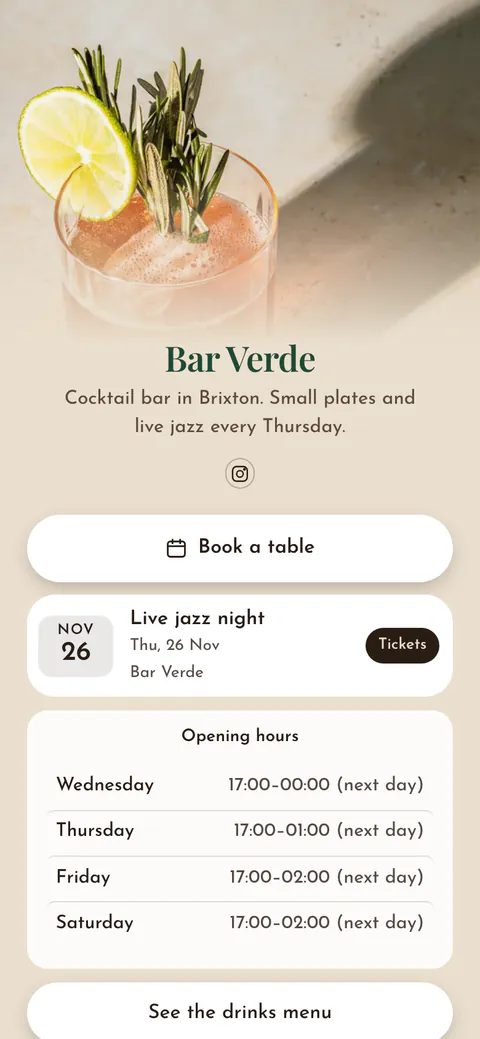
Start your page with this template
Type the name you want after more.you/ and create your account. Then change the words and photos to yours.
 more.you/yourname
Before you go
Put everything you share behind one link
More.You is a free link in bio page. No card needed.
- Start from a template made for your work
- Add links, products, bookings and events
- See how many people tap each link