Join this week and get Pro free for 6 monthsLiked the free tool? Get your own page with Pro freeMoving to More.You? Get Pro free for 6 monthsPick a template and get Pro free for 6 monthsTry every Pro feature free for 6 monthsPut it into practice with Pro free for 6 months
Get Pro freeSign upTemplatesSee all templatesPricing



Product
Page blocksLinks, products, bookings, events and opening hoursThemes and fonts15 colour themes, 31 fonts, buttons and backgroundsClick analyticsPage views, clicks on each link, countries and devicesLinktree importPaste your Linktree address and pick the links to bringResources
TemplateClear week
Link in bio template for Notion creators
New visitors get something before you ask for money, since “Free: habit tracker” is the first card. Two paid templates follow with a picture and a price each, then two answers to what buyers ask.
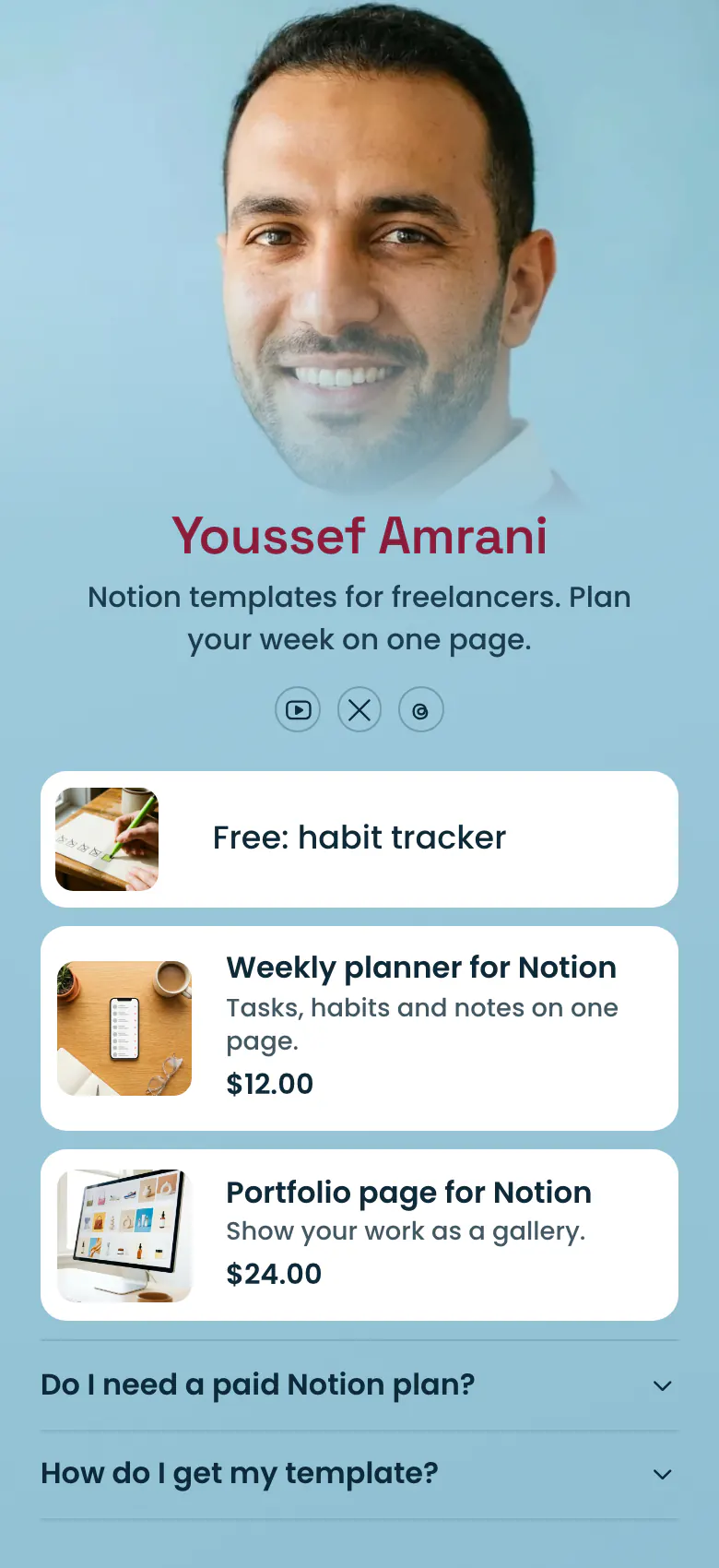
A Notion creator's bio link, free template first
In a Notion creator's link in bio, a free template comes first, then each paid template with a picture and its price, then answers to the questions buyers ask before they pay. A free template lets a stranger test your work at no cost, and a visible price saves a tap for people who are not ready.
What is on this page
- Name and bioYoussef AmraniNotion templates for freelancers. Plan your week on one page.
- Social iconsYouTube, X, Threads
- Featured linkFree: habit tracker
“Free: habit tracker” is a link with a picture, and opens the page where a visitor copies it into Notion.
- ProductWeekly planner for Notion$12.00
“Weekly planner for Notion” shows a photo, one line about it and its price, $12.00. A tap opens it in your own store.
- ProductPortfolio page for Notion$24.00
- FAQDo I need a paid Notion plan?2 questions
“Do I need a paid Notion plan?” and “How do I get my template?” are answered before a buyer has to write to you.
Who it is for
A solo creator with a small catalogue of Notion templates and an audience on YouTube, X or Threads is the right fit, from the first paid template onwards. A larger shop that also sells printables, spreadsheets and other files needs the template for digital product sellers.
How to make it yours
Select Clear week
Clear week gives you one free template, two products with prices and two buyer questions, in the order a new visitor reads them.
Show your templates and prices
Link your free template first. For each paid one, add a screenshot, the name, one line on what it does and the price, then paste the link to your store.
Link it under your videos
When the page is published, the link belongs in your YouTube, X and Threads profiles and in the description of every video where you show a template.
- Use a real screenshot of each template as its picture. Buyers judge a Notion template by how the page looks in use.
- Begin the first link name with the word Free, as in “Free: habit tracker”. Visitors who came from a video look for that word.
- Answer the plan question with a clear yes or no for each template. A buyer on the free Notion plan needs to know before paying.
Questions
What should a Notion creator put in their link in bio?
Open with one free template, then list your paid templates with a screenshot and a price each. Close with short answers on Notion plans and delivery. Many visitors come from a video, take the free template first and return to buy once it has become part of their week.
How do I sell Notion templates from my bio on X or YouTube?
Put one link in your bio and show each template there as a product, with its photo, name and price. On a More.You page, a tap on the product opens it in your own store, for example on Gumroad. The buyer completes the purchase there and gets the link to copy the template into Notion.
Should I offer a free Notion template in my bio link?
Yes, and place it first. A free template shows the quality of your work to someone who has only seen a short video. On the sample page the habit tracker is free, and the weekly planner at $12.00 and the portfolio page at $24.00 follow for visitors who want more.
Does it cost anything to list my Notion templates on this page?
No, listing them is free. You create and publish a More.You page at no cost, and the product block is on the Free plan with every other block type. A product price can be in one of 12 currencies, so you can show yours in dollars like the sample or in another currency your buyers use.
Start your page with this template
Type the name you want after more.you/ and create your account. Then change the words and photos to yours.
 more.you/yourname
Before you go
Put everything you share behind one link
More.You is a free link in bio page. No card needed.
- Start from a template made for your work
- Add links, products, bookings and events
- See how many people tap each link